 PinSleuth
Check · Feature
Catch annotations as they arrive
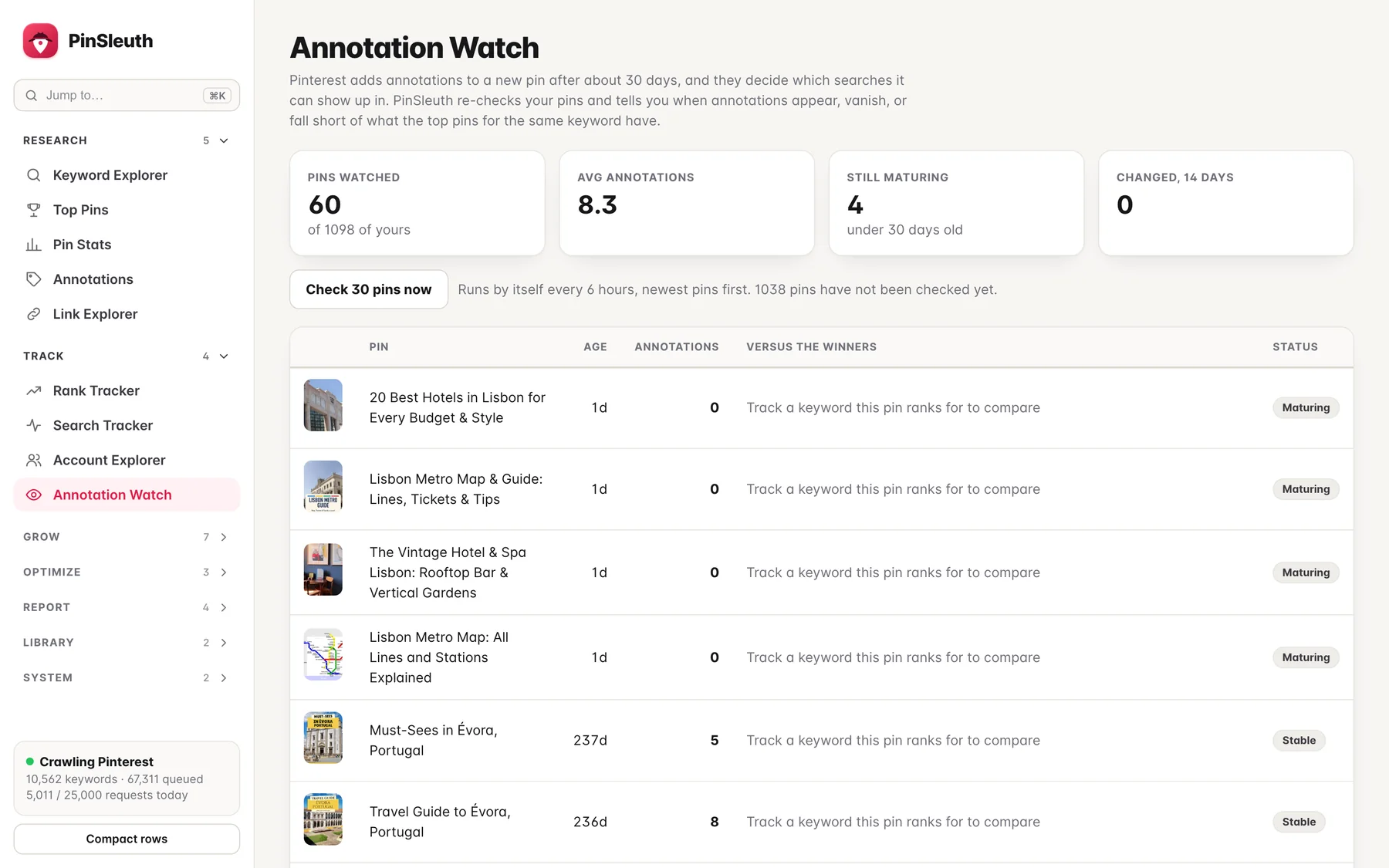
Pinterest attaches annotations to a pin, usually after about a month, and they decide which searches it can appear in. PinSleuth watches yours.
What you get
What it does
Re-checked on a schedule
Your pins are checked again and again, young pins first, so you see annotations the moment they appear.
Versus the winners
Compare each pin with the annotations shared by the top pins for the keyword it ranks for, and see exactly which ones are missing.
Alerts when it changes
Be told when a pin gains annotations or loses several, instead of finding out weeks later.
Three steps
How it works
Connect your site
PinSleuth finds the pins that point to your domain.
Let it watch
Annotations are checked on a schedule and every change is recorded.
Close the gaps
Add the missing keywords to titles, descriptions and boards.
Questions
Common questions
Why does it take a month?
Pinterest generally adds annotations some weeks after a pin is published. New pins are marked as maturing until then.
Can I see the annotations on any pin?
Yes. Pin stats and the top pins view show them for any pin or keyword.
Keep going
Works well with
Start your 14-day free trial
Pick a plan, add a card, and pay nothing if you cancel within 14 days.