 PinSleuth
Features
Everything for the whole Pinterest SEO loop
Find topics, write pins that match what ranks, check whether it worked, fix what slips and see what your pins really earn. All in one tool, with real screens below.
Find
Pick topics worth a post
Real Pinterest search volumes and trends, a score for every keyword and a plan for what to publish next.
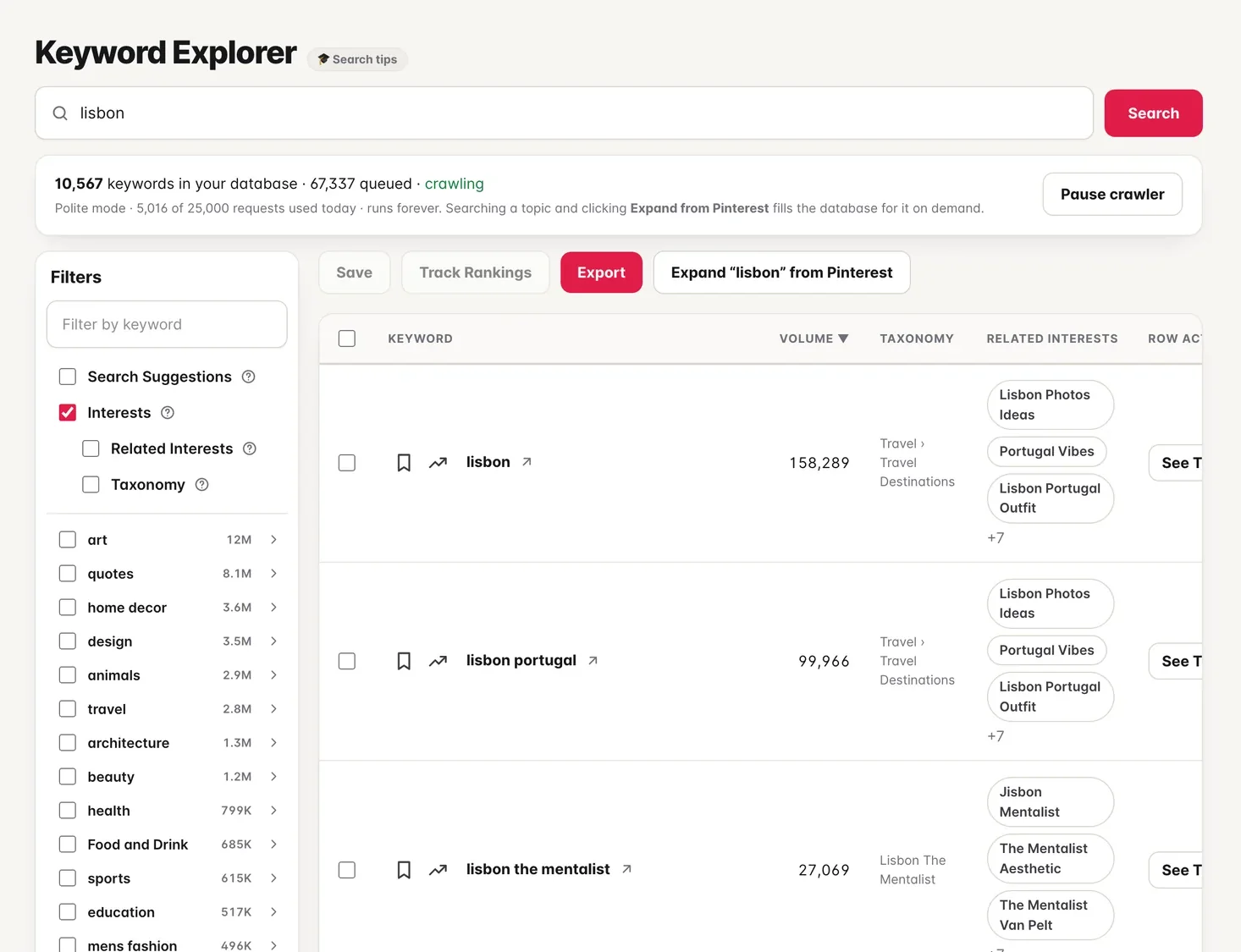
Keyword research
Real search volumes, not guesses
Monthly searches, trends and related interests come straight from Pinterest, with filters and a category tree to narrow thousands of ideas.
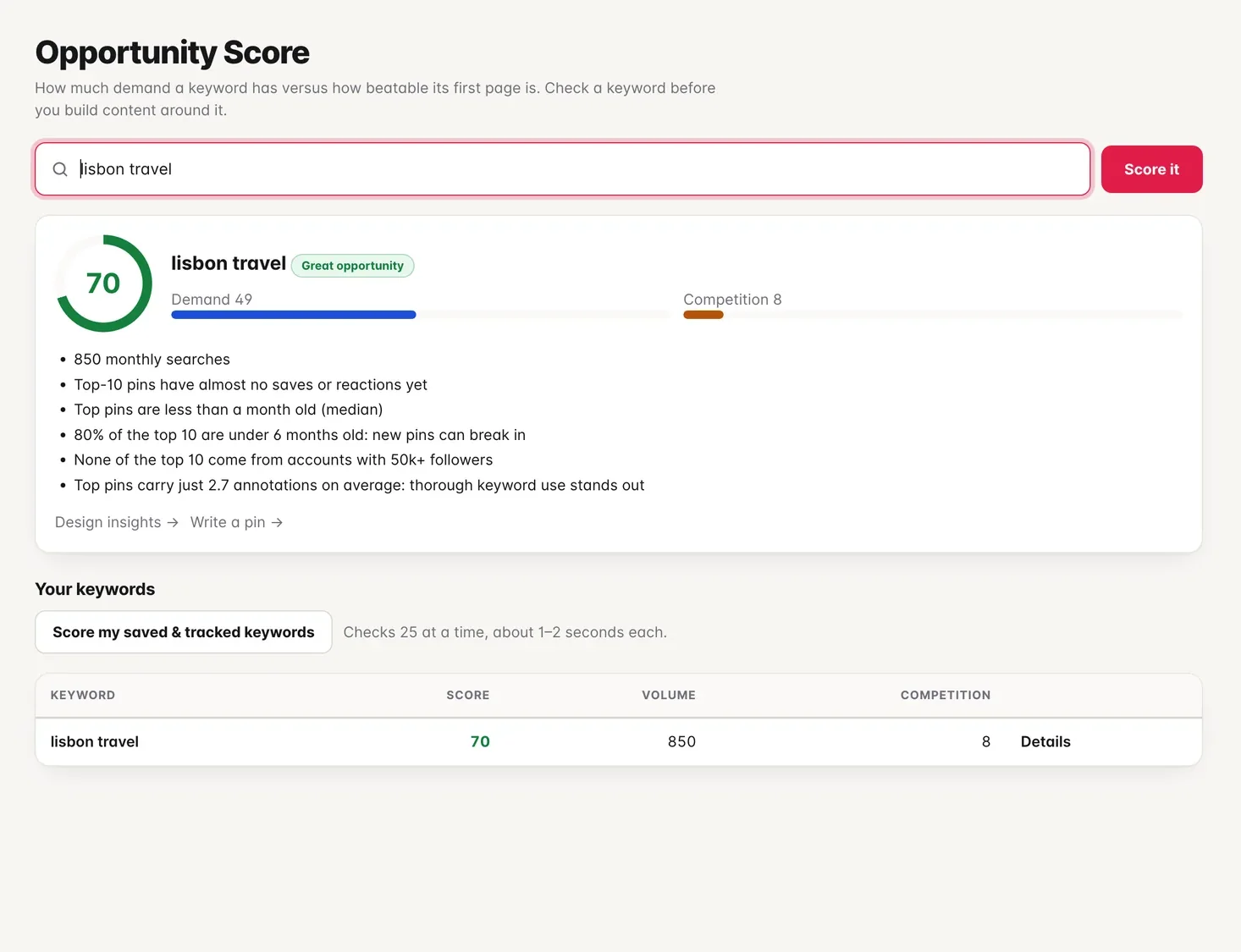
Opportunity score
Know a keyword is worth it before you write
Demand weighed against how beatable the first page is: how old, how strong and how large the accounts are that hold it.
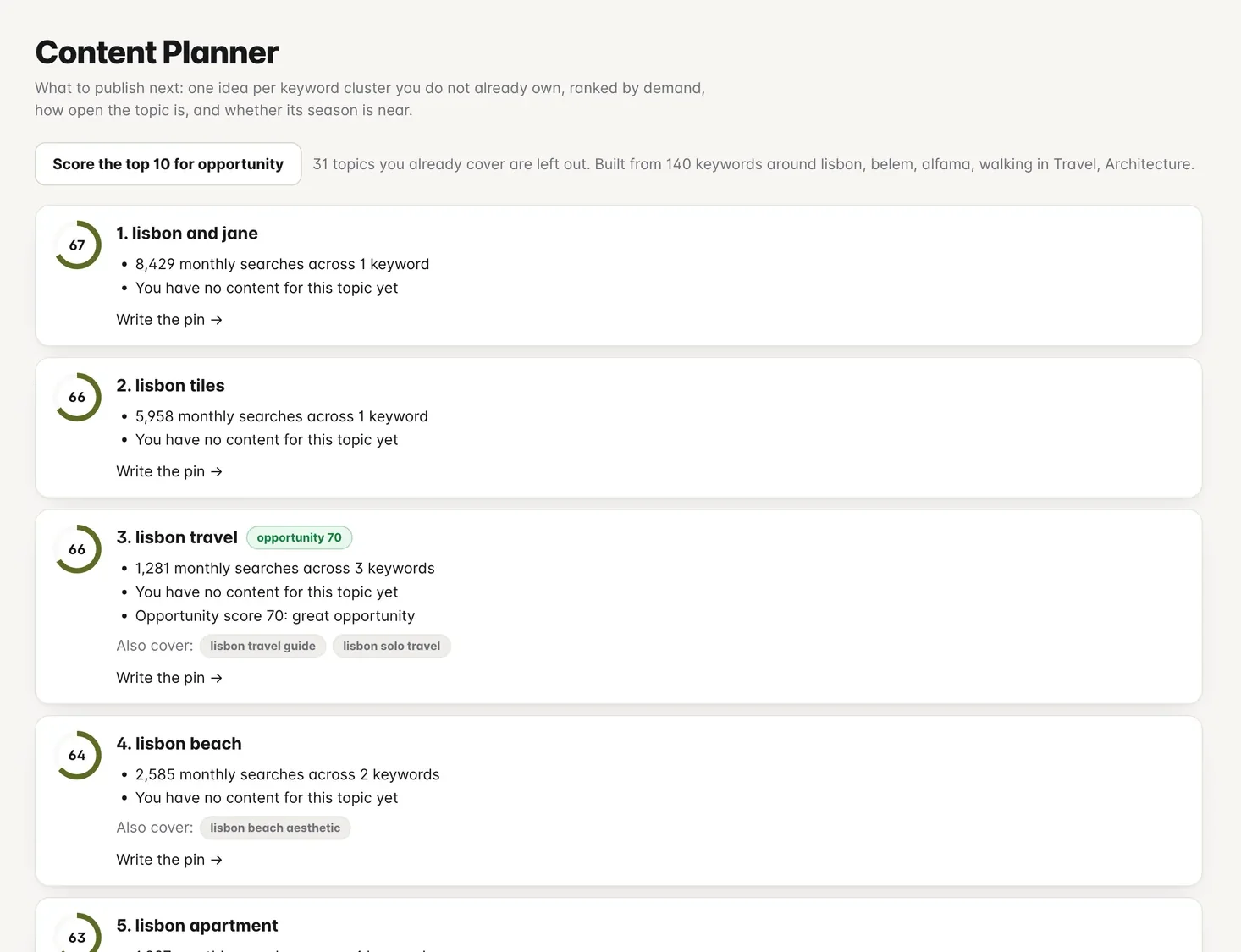
Content planner
Never wonder what to publish next
One idea per topic you do not own yet, ranked by demand, how open the topic is and whether its season is near.
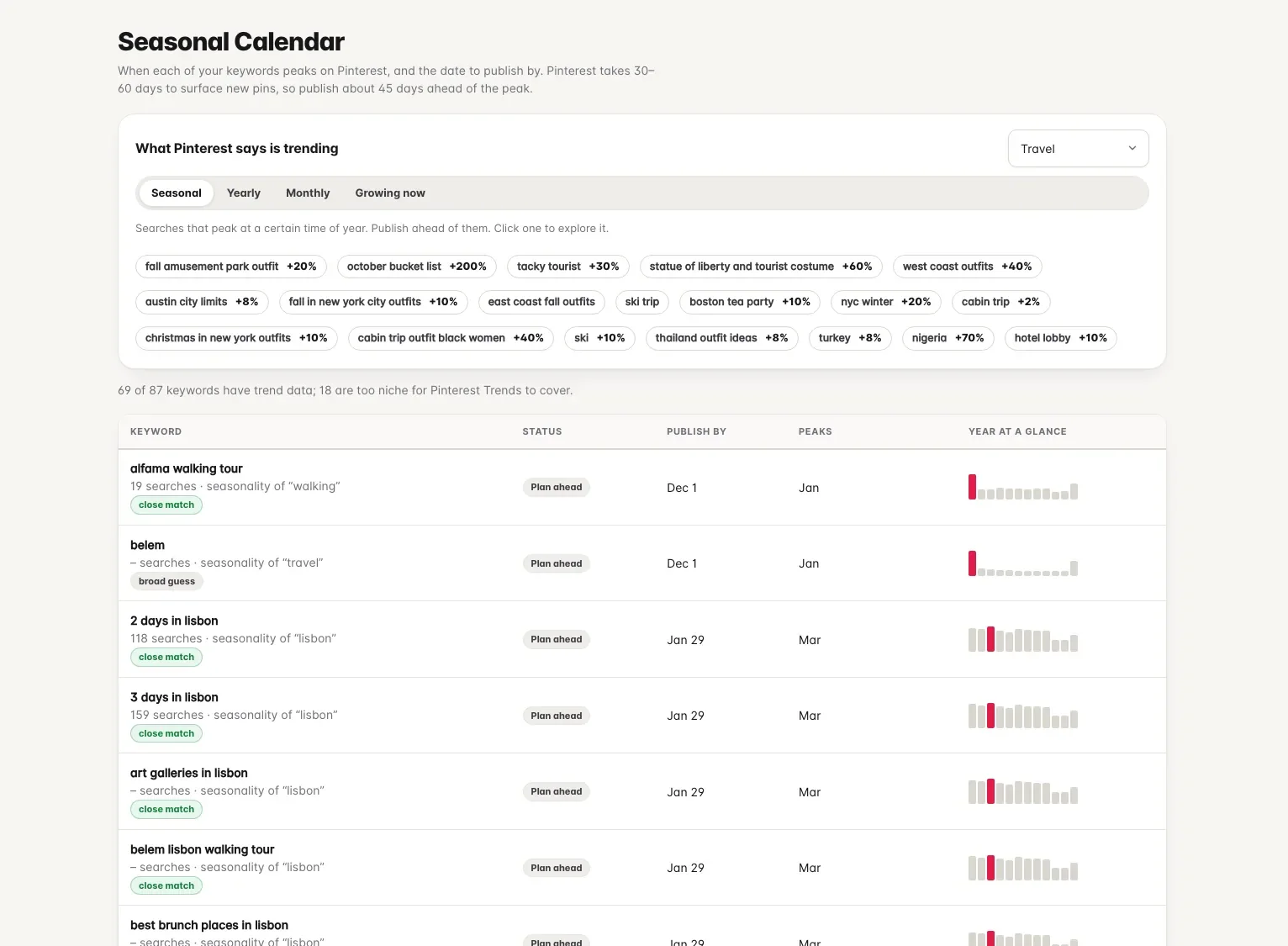
Seasonal calendar and trends
Publish before the rush, with Pinterest’s own trends
See when each topic peaks and the date to publish by. Above it, Pinterest’s seasonal, yearly, monthly and growing searches, filtered by topic.
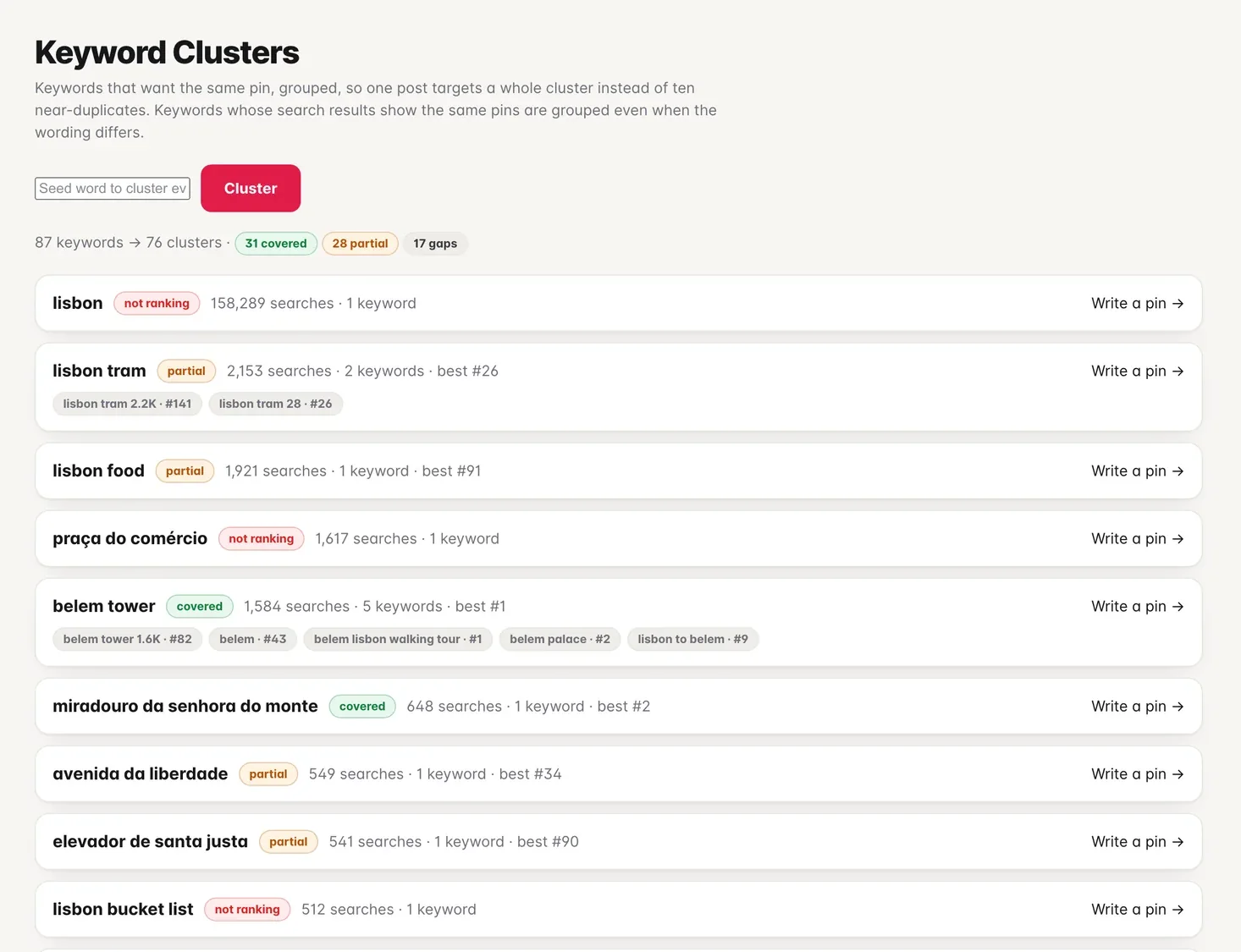
Keyword clusters
One post per topic, not ten near-duplicates
Keywords that want the same pin are grouped, with the topics you cover and the gaps marked.
Write
Make the pin where you make it.
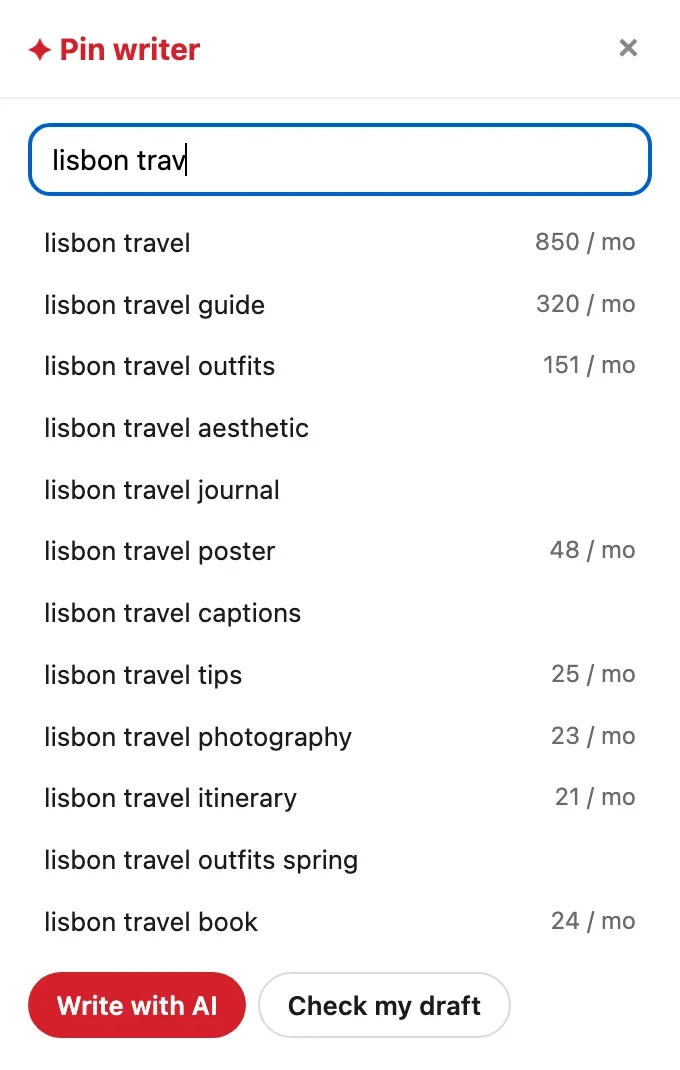
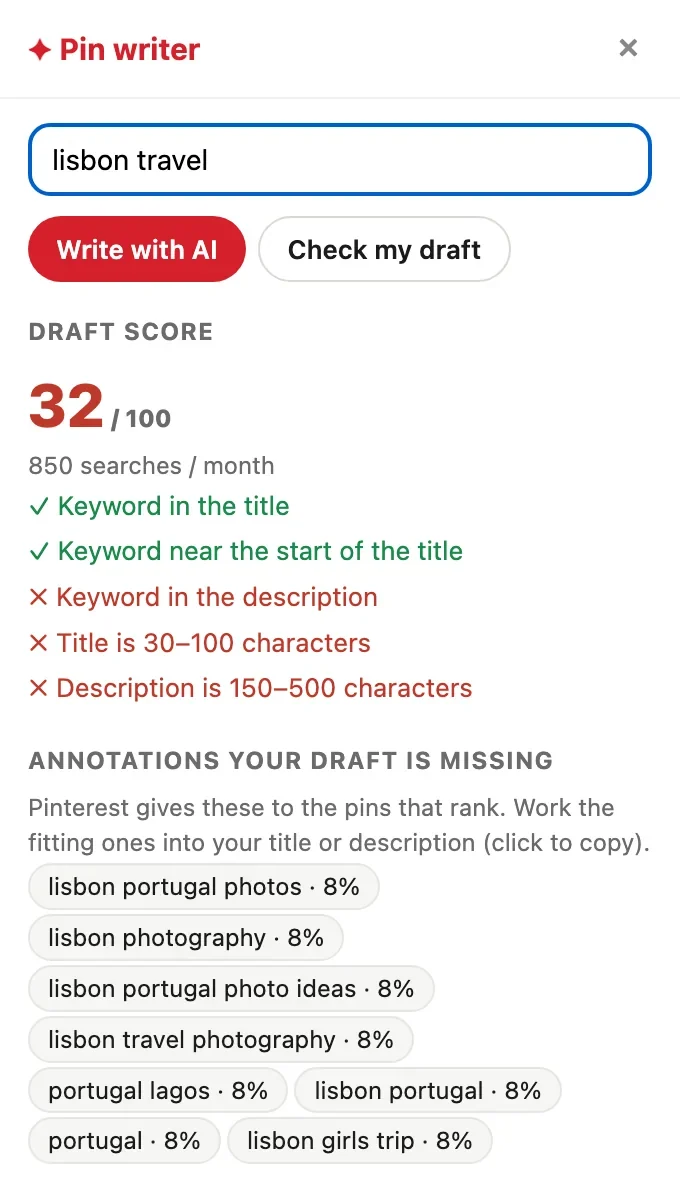
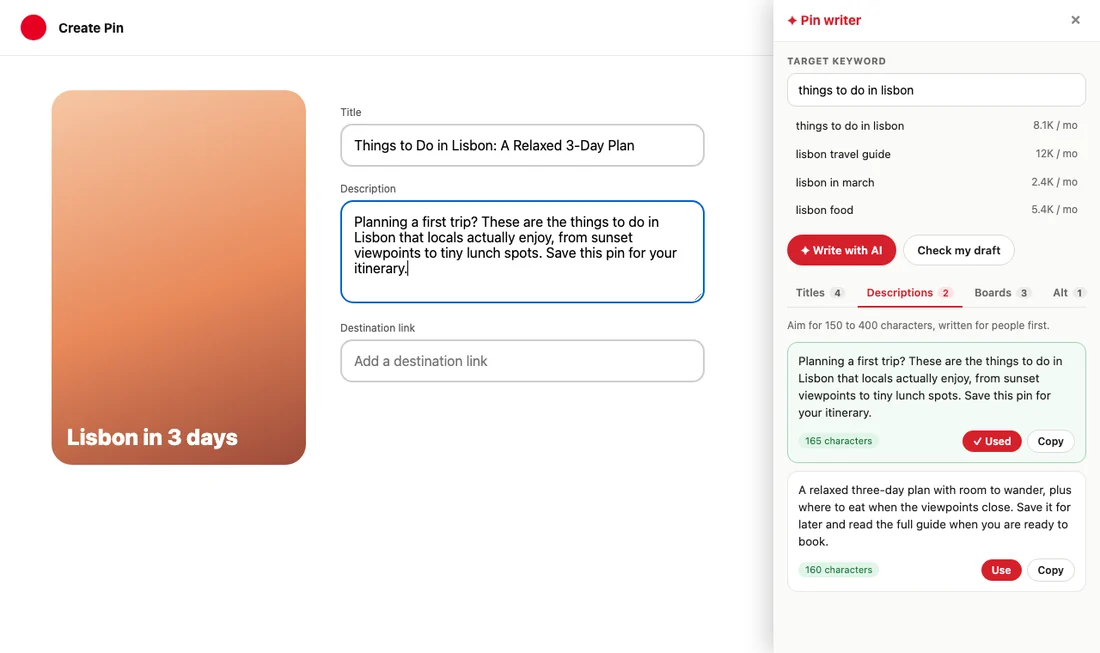
The Chrome and Firefox extension adds a writer panel to Pinterest’s own pin creation page, and search volumes and stats to every search and pin you browse.
- Live keyword suggestions with volumes while you type
- A score for your draft, and the annotations it is missing
- AI drafts of titles, descriptions, boards and alt text, filled in with one click
- Volumes, saves and AI or NoIndex labels on every pin as you scroll
Check
Know whether it worked
Daily rank checks that keep the whole results page, and a watch on the annotations Pinterest gives your pins.
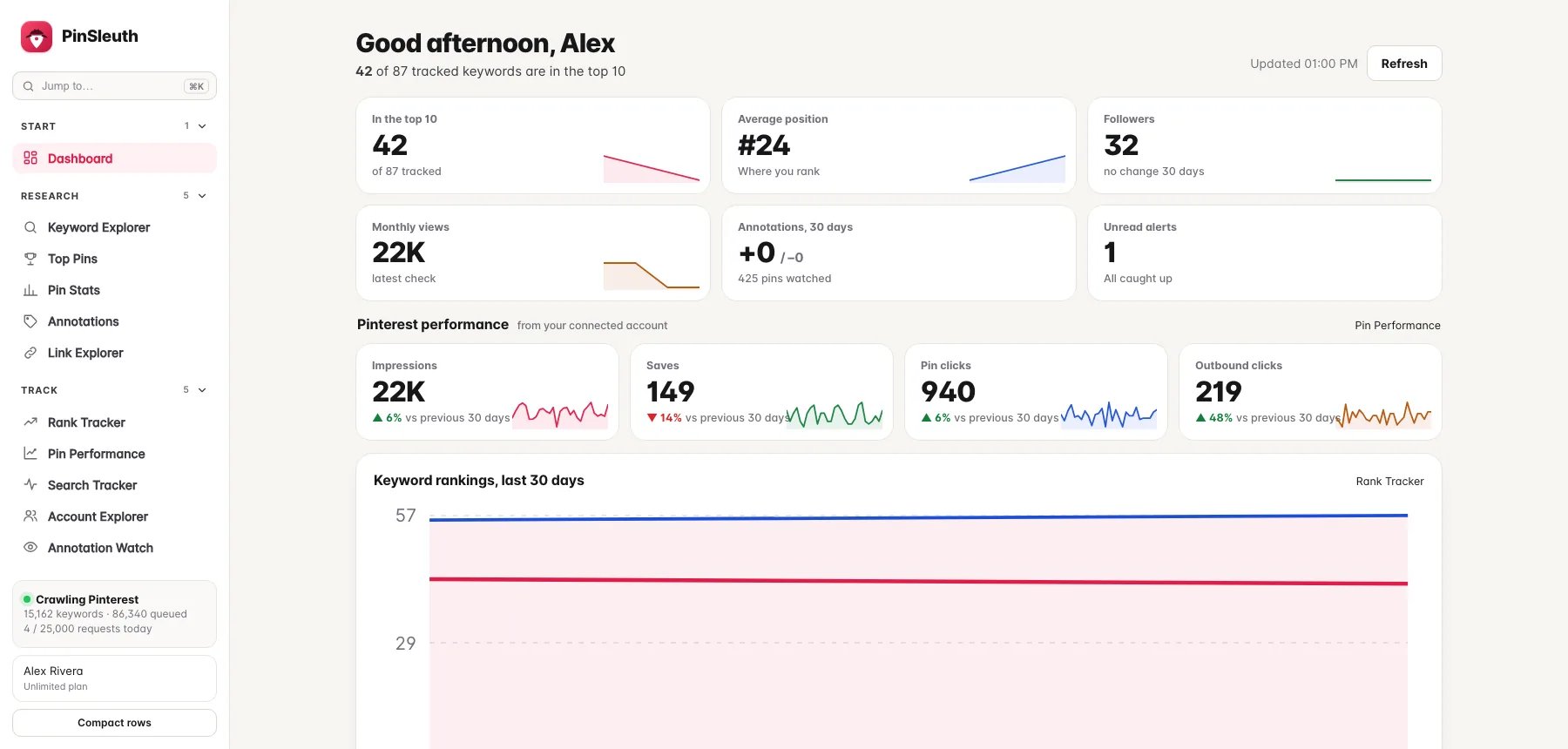
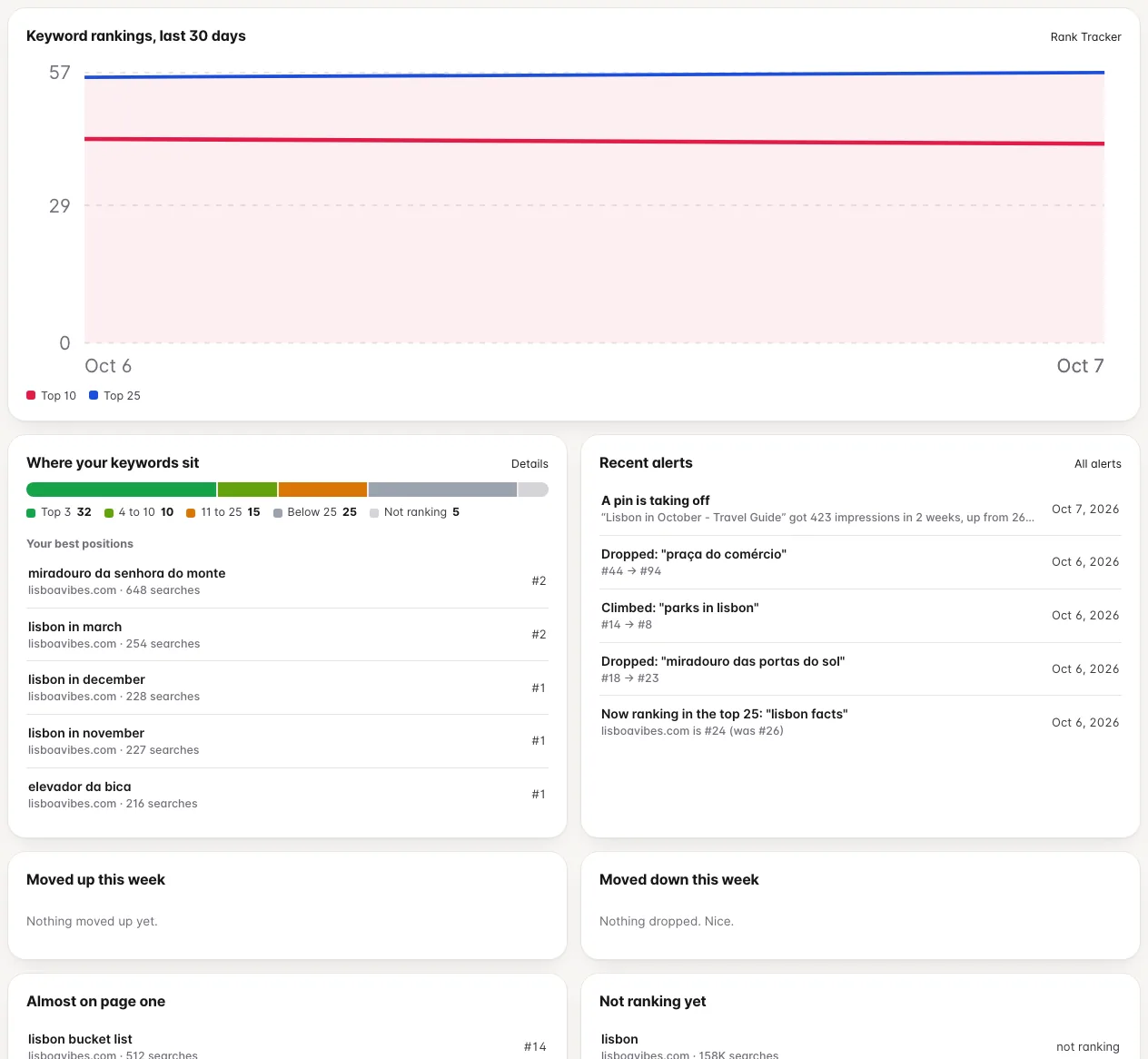
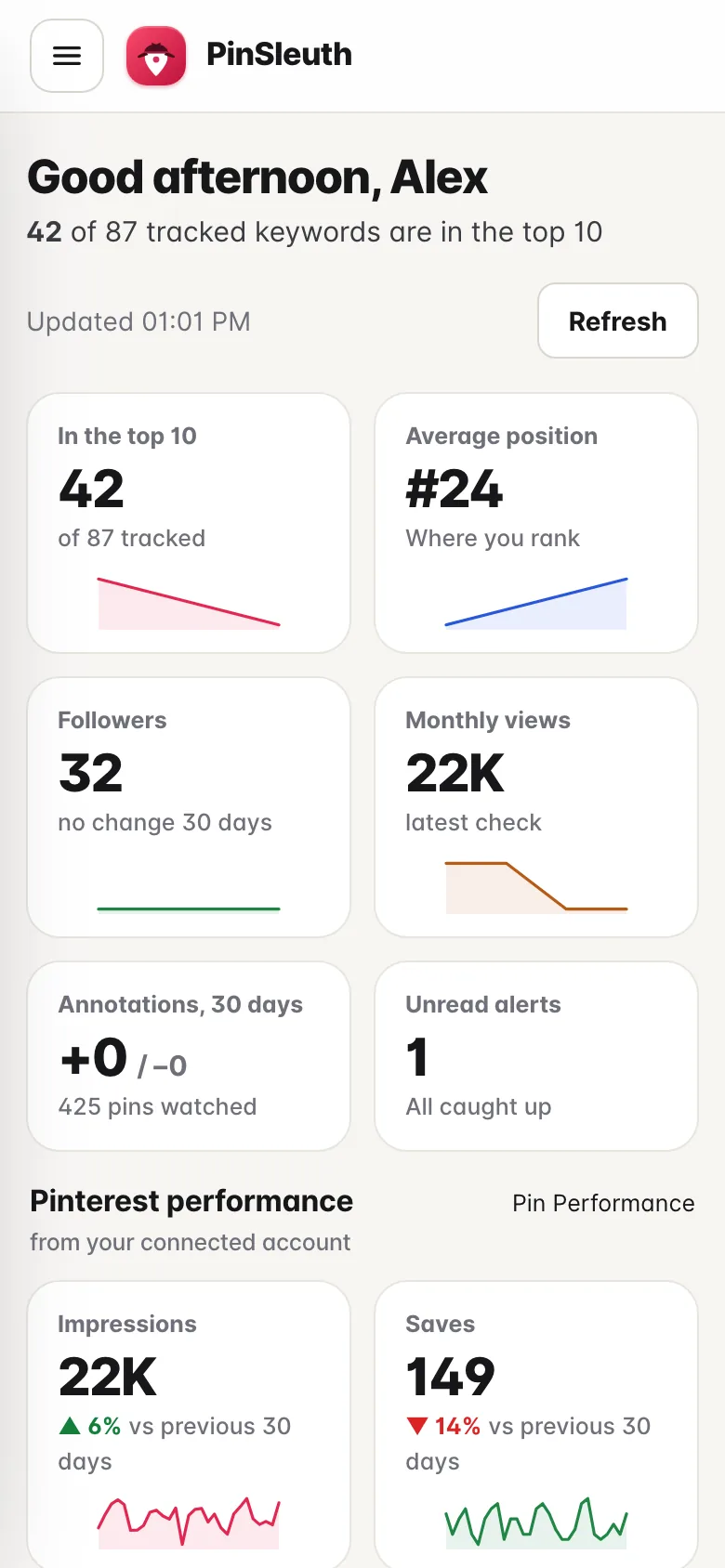
Dashboard
Your whole account in ten seconds
Rankings, followers, monthly views, annotation changes and alerts, with what moved this week and what to look at next.
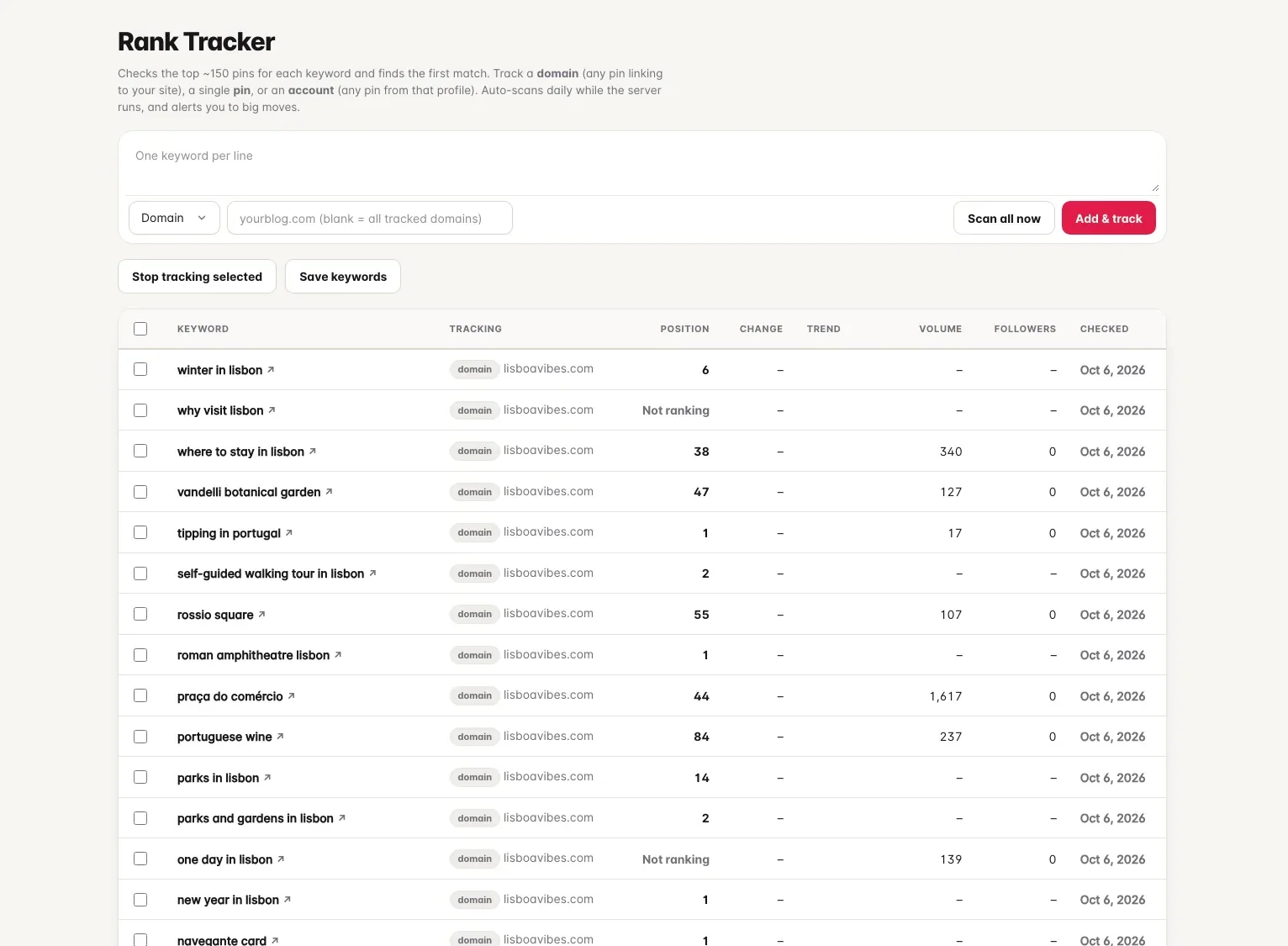
Rank tracker
Every keyword, checked every day
Track a domain, a pin or an account against any keyword. The whole results page is saved, so you see who moved in and who dropped out.
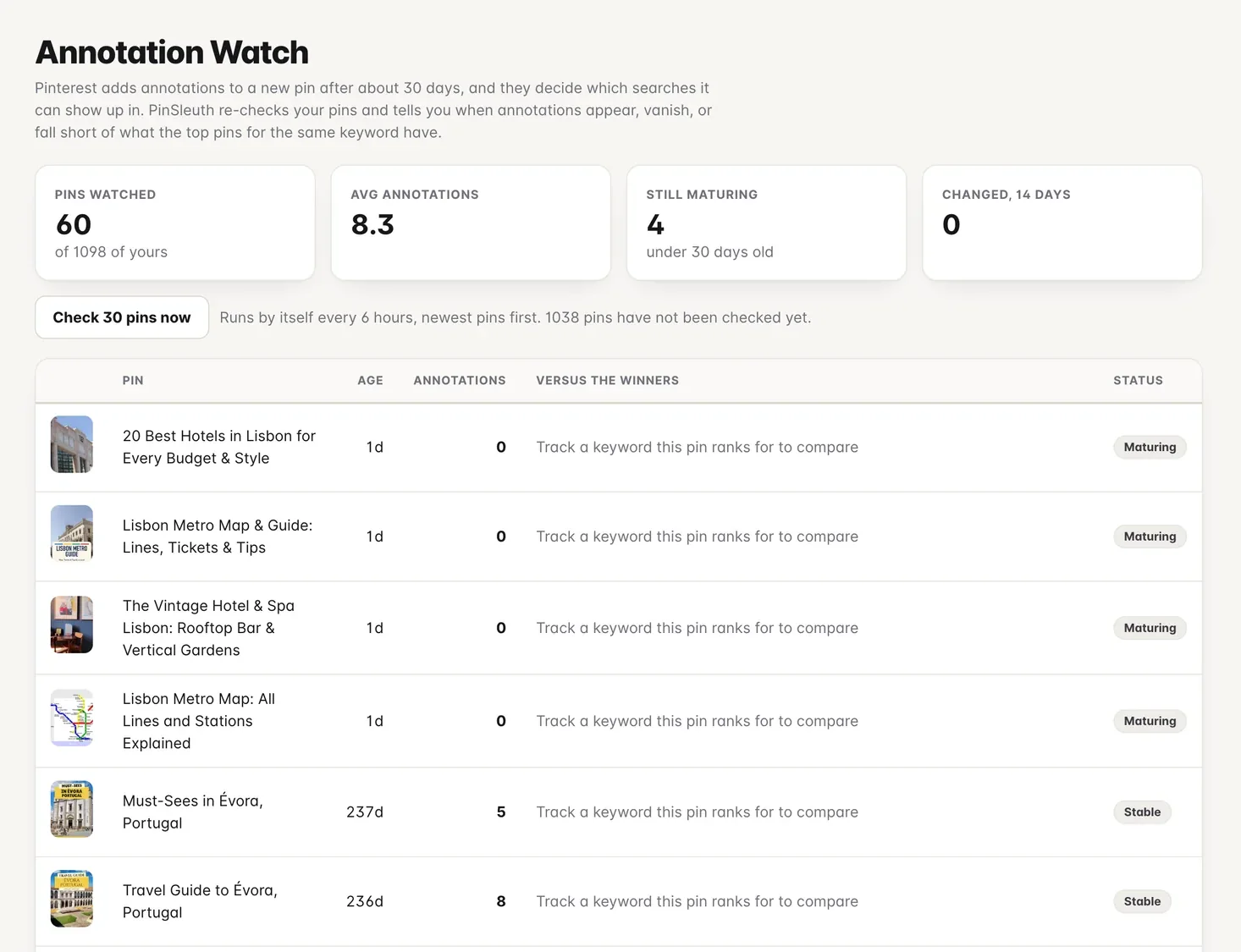
Annotation watch
Catch annotations as they arrive
Pinterest attaches annotations to a pin, usually after about a month, and they decide which searches it can appear in. PinSleuth watches yours.
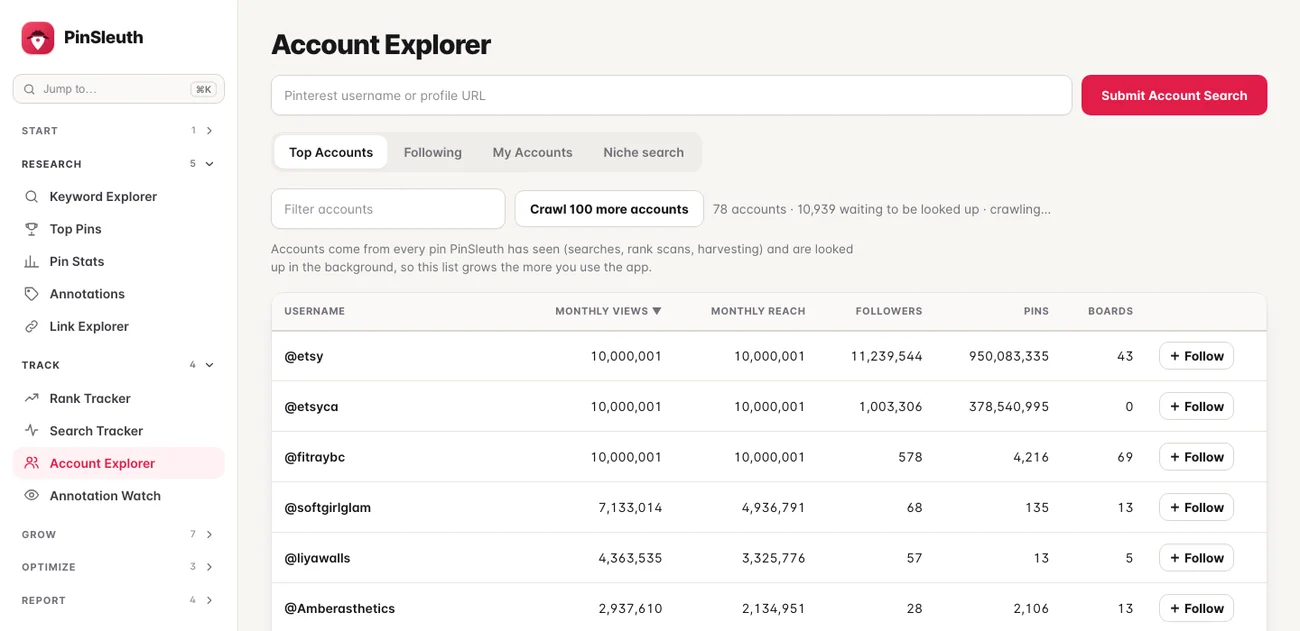
Account explorer
Study the accounts that win
Monthly views, reach and followers for any public account, and the keywords their pins use.
Fix
Improve what you already have
Your best posts need fresh pins, some of your pins compete with each other, and some boards could be named better.
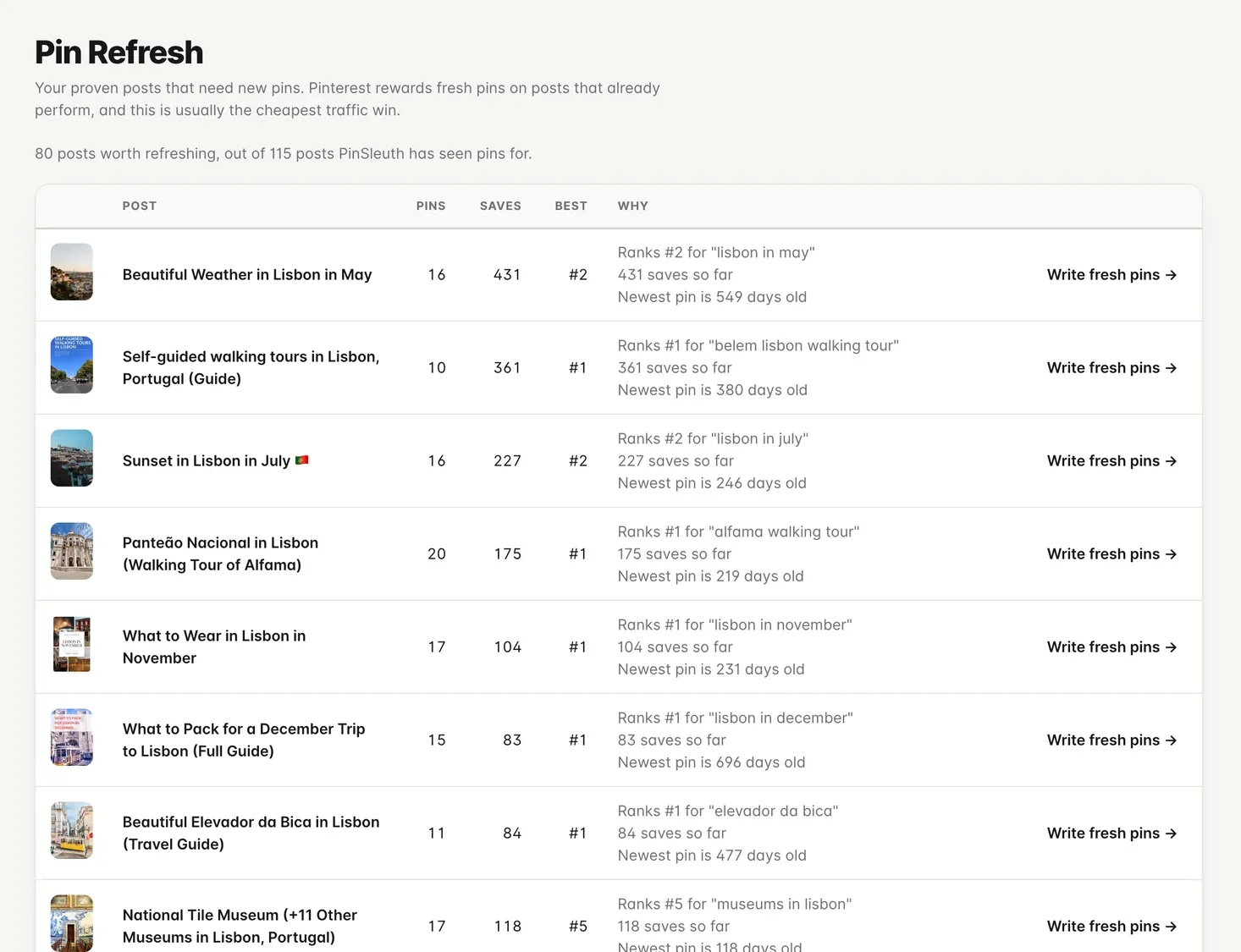
Pin refresh
Your best posts are due new pins
Proven posts with old or too few pins, in order of how much a refresh is worth.
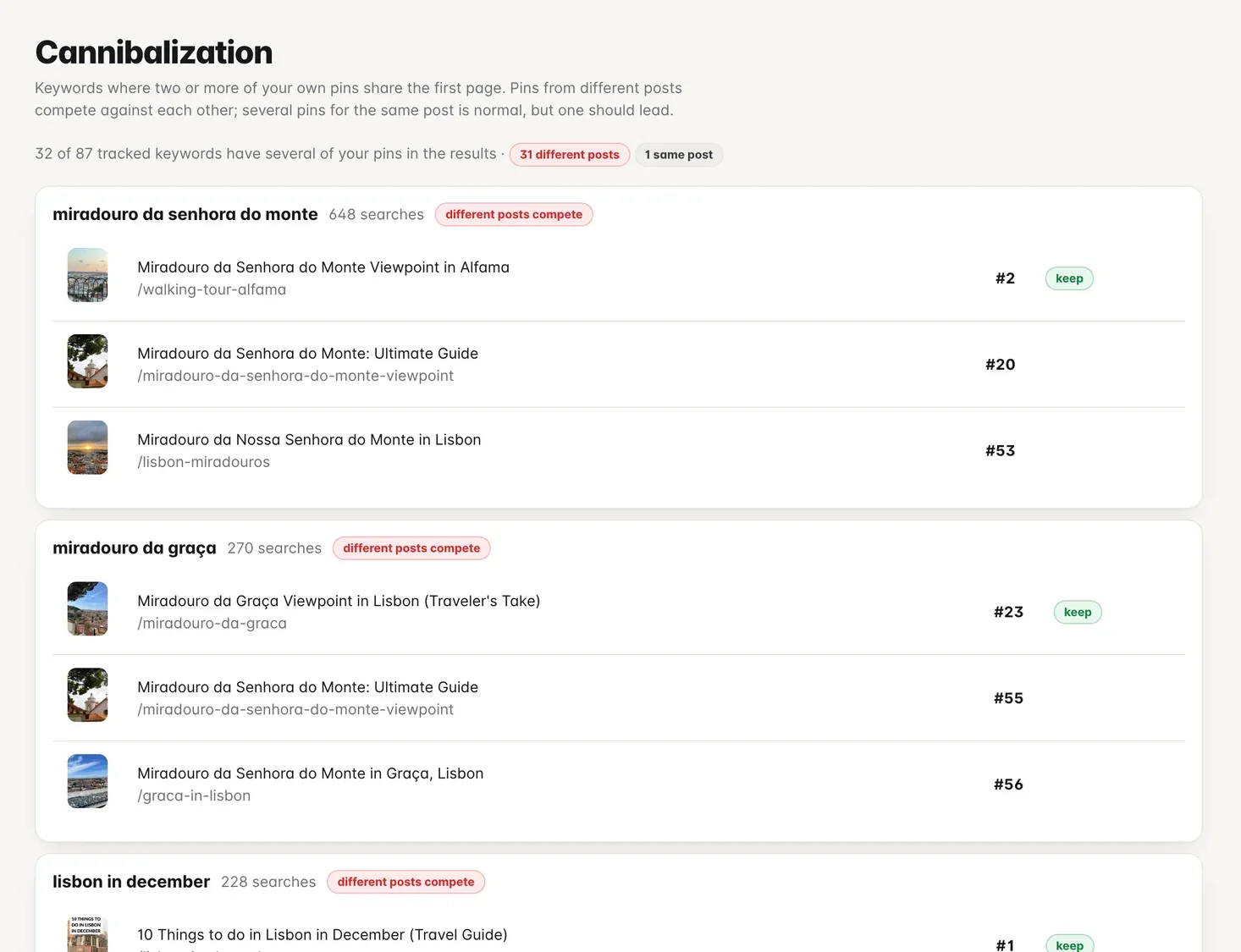
Cannibalization finder
Stop your pins fighting each other
Keywords where several of your own pins share the first page, and which one to keep promoting.
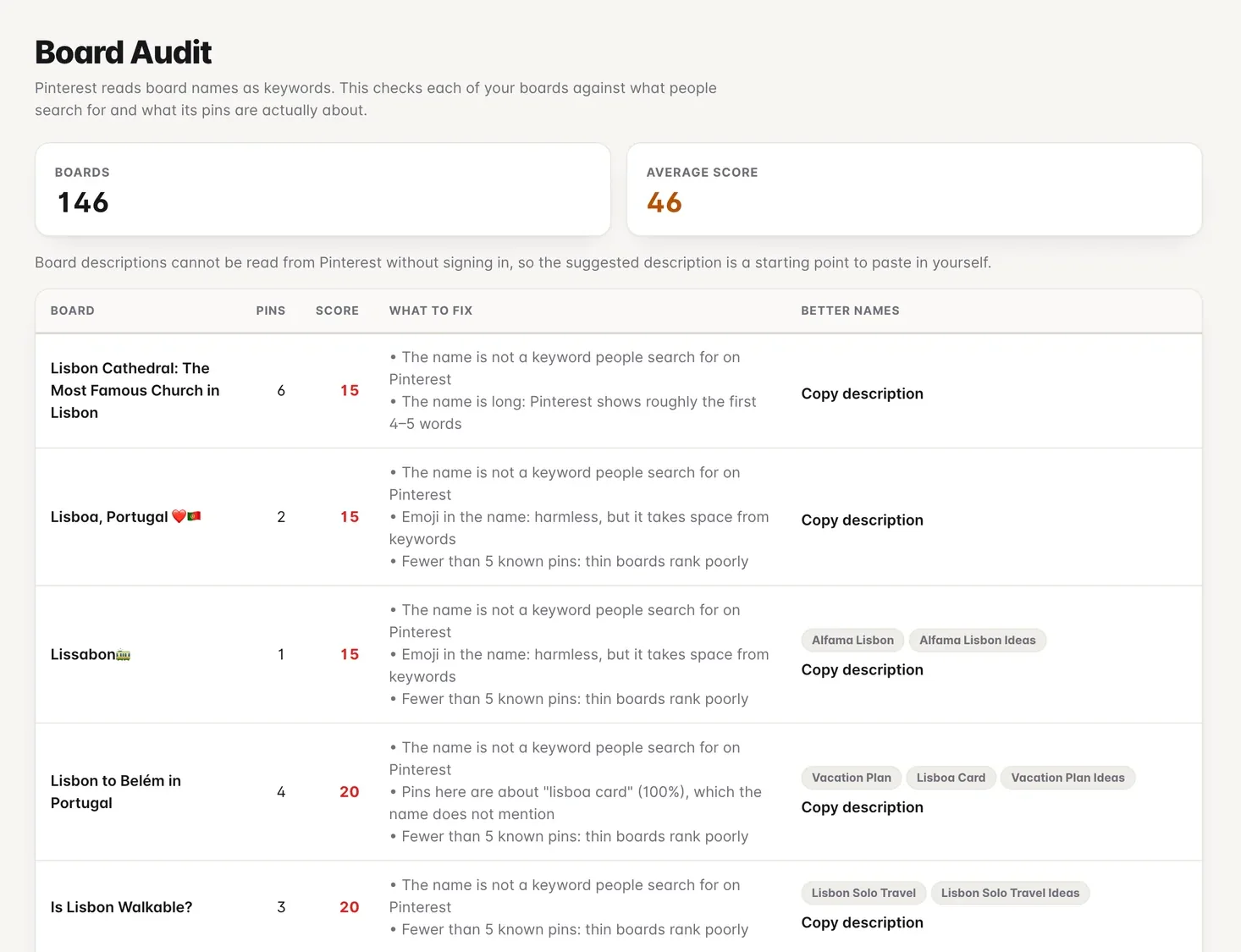
Board audit
Boards that pull their weight
Each board’s reach and what to improve in its name and description.
New · Official Pinterest connection
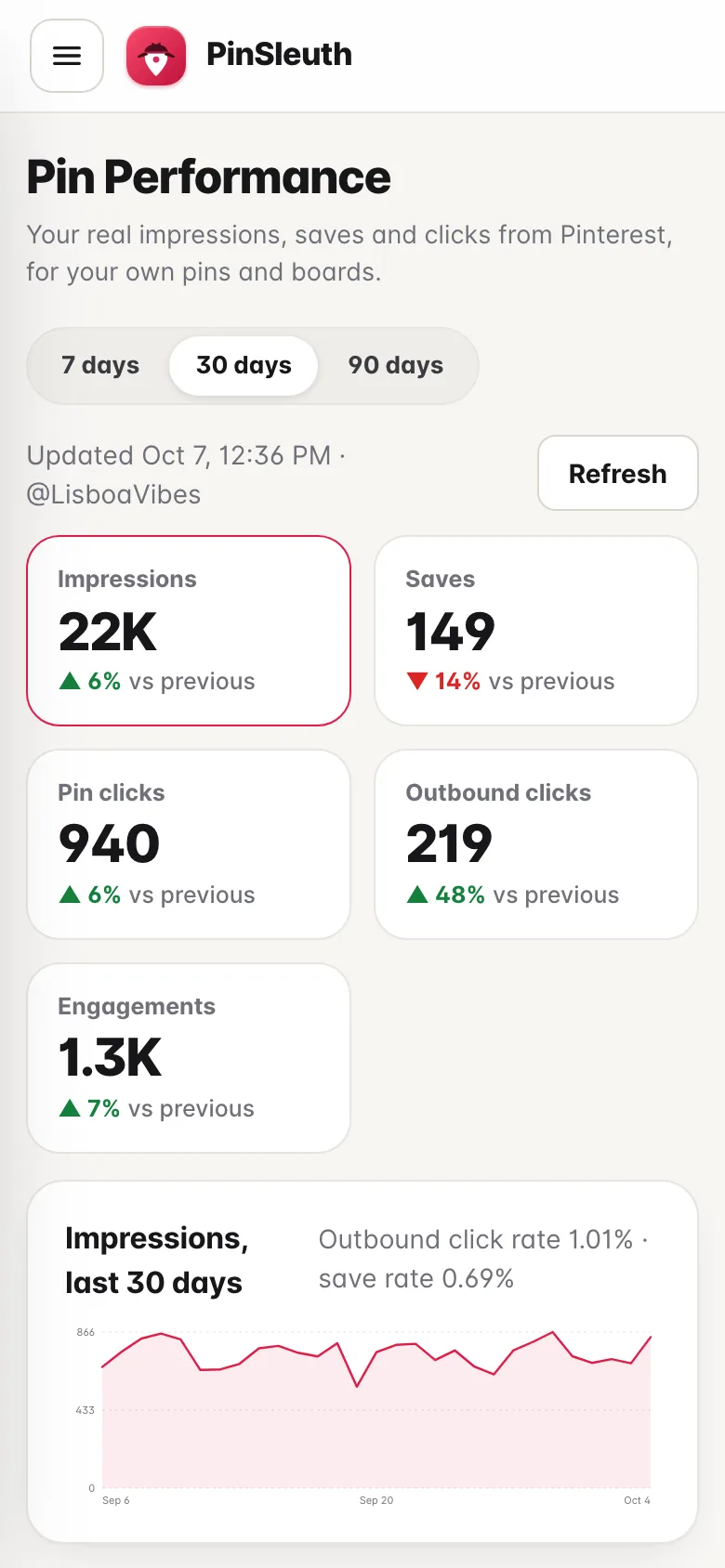
See what your pins really earn.
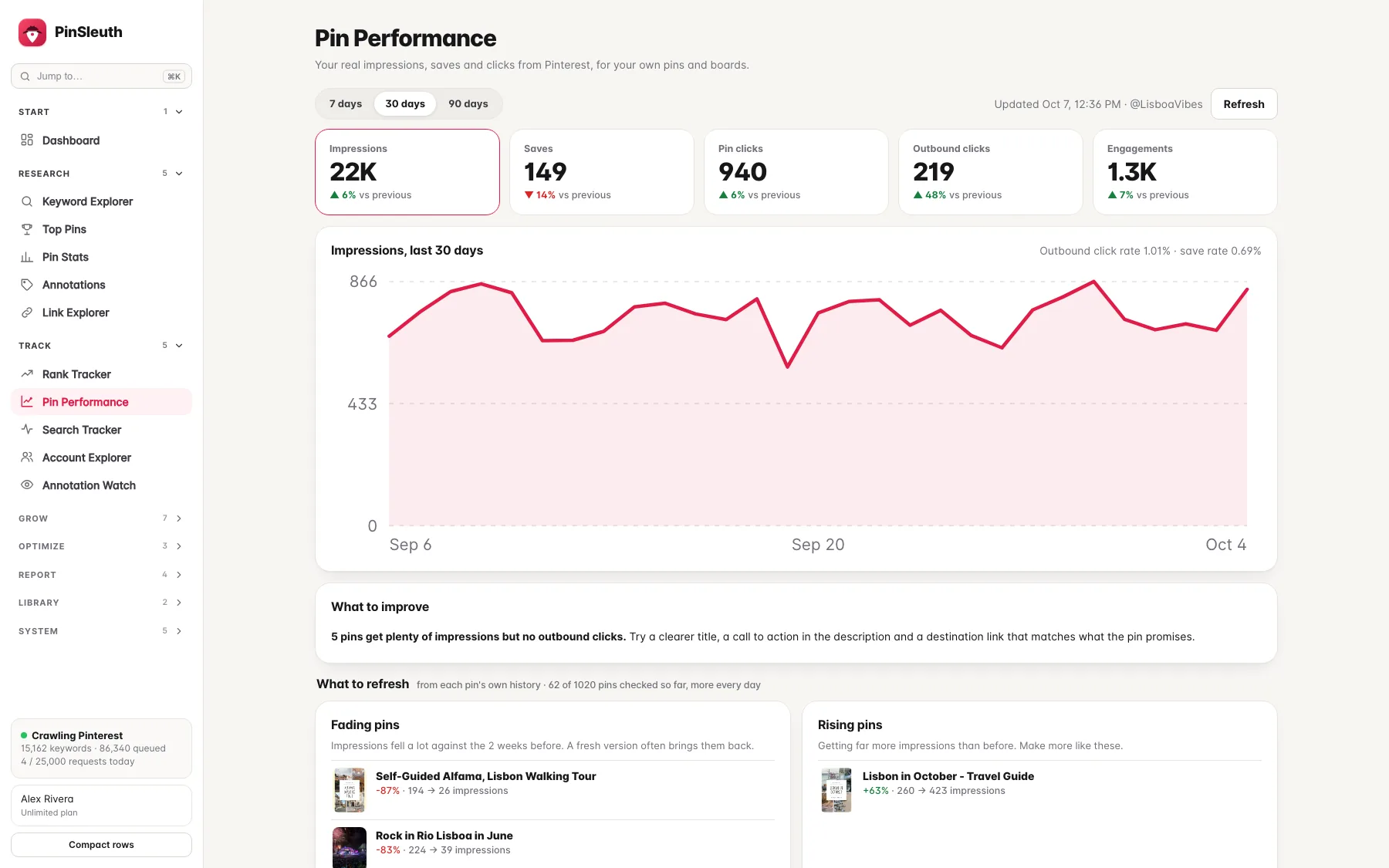
Connect your Pinterest account through Pinterest’s own sign-in and PinSleuth shows your real impressions, saves, pin clicks and outbound clicks, next to your rankings. It only reads your data, never posts, and you can disconnect and delete it any time.
- Daily impressions, saves and clicks, compared with the period before
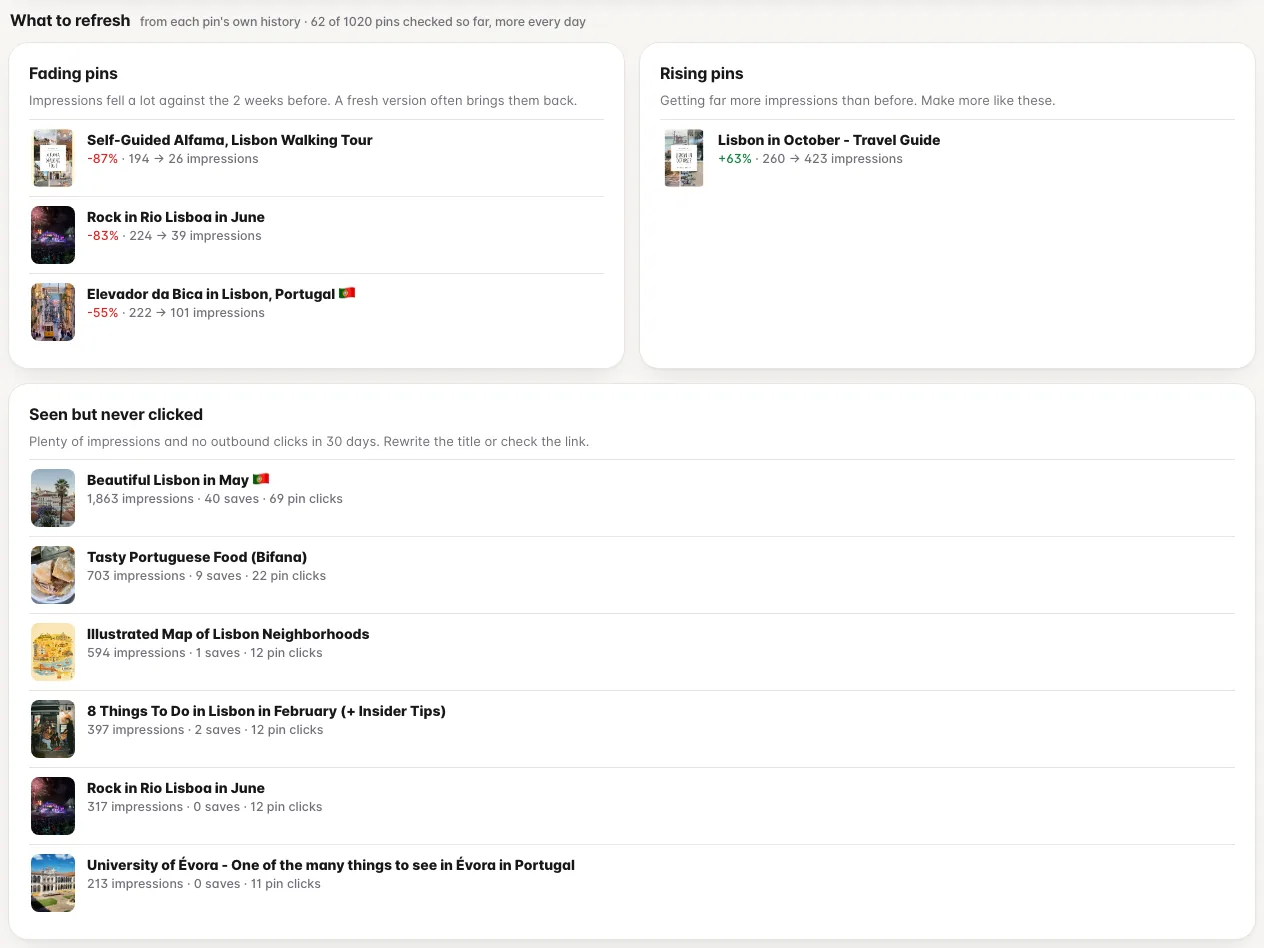
- Fading pins, rising pins and pins that get seen but never clicked
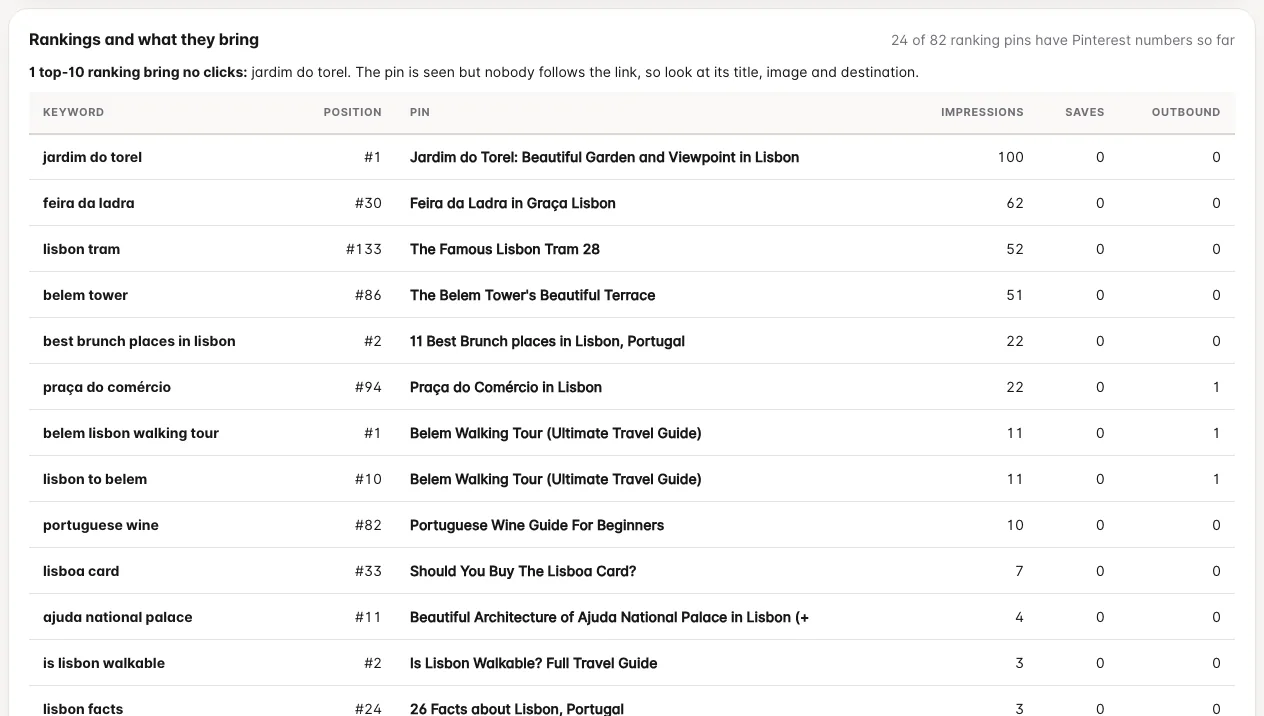
- The pin that ranks for each keyword, next to what it really gets
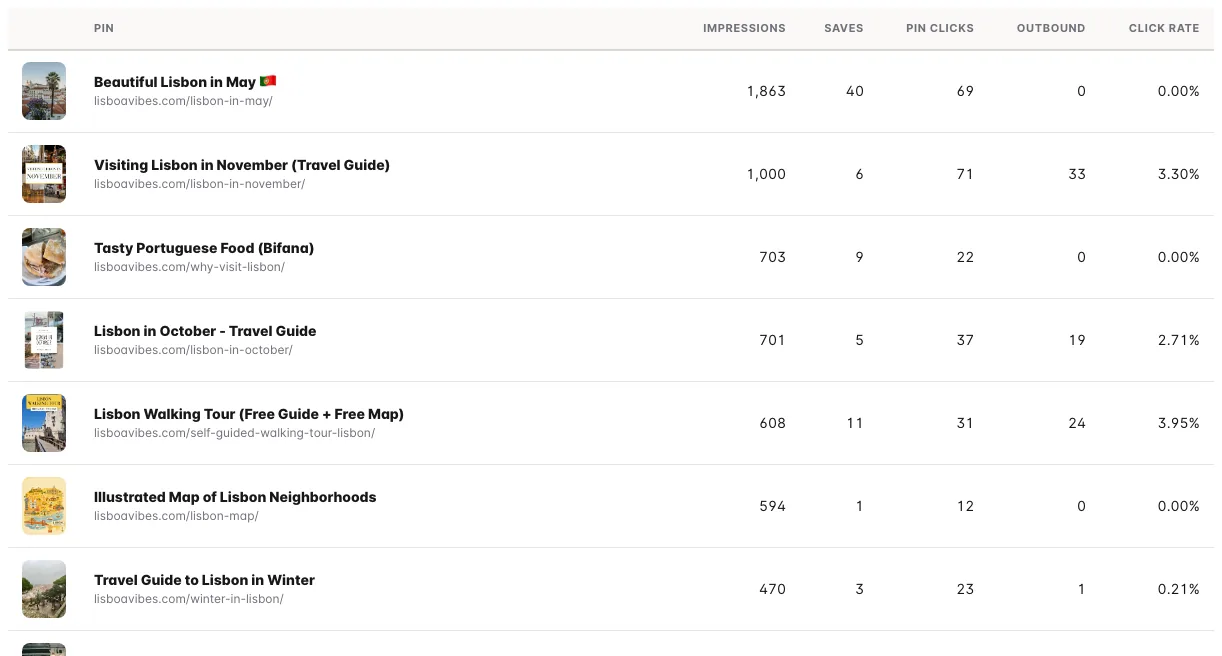
- Best pins by impressions, saves, clicks and engagement, and your boards
Refresh finder
Know which pins to refresh
Worked out from each pin’s own daily history, so a pin that is slipping gets caught before it disappears.
Rankings and results
What a ranking is really worth
Position and search volume next to the impressions and clicks of the pin that holds it. Top-10 rankings that bring no clicks are called out.
Best pins
See which pins carry the account
Your best pins of the last 30 days, ranked by impressions, saves, outbound clicks or engagement, with click rates.
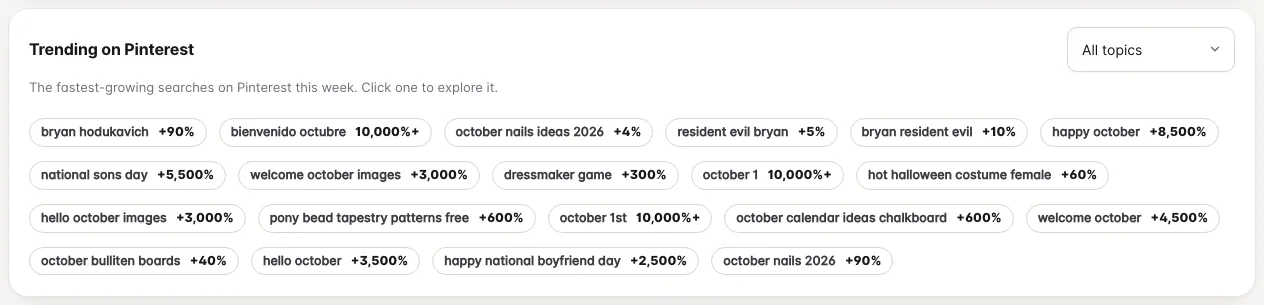
Trends
Plan around what Pinterest says is trending
The fastest-growing searches on Pinterest, filtered by topic. Click one to explore it, or track it.
Report
Let the tool do the reporting
Share results with clients and keep yourself informed without opening a spreadsheet.
Client reports
A branded, read-only page for a client that prints to PDF, with rankings, changes and share of voice. Optionally add your Pinterest results.
Weekly digest
A summary of rankings, movements and, when connected, your Pinterest numbers, in your inbox once a week.
Alerts
In the app and by email: a keyword enters or leaves the top 25, annotations change, impressions drop or a pin takes off.
On every screen
Check in from your phone.
The dashboard and every tool fit a phone screen, so you can check rankings and results from the sofa. The charts show the exact numbers when you point at them.
- Dashboard and Pin Performance laid out for small screens
- Light and dark appearance that follow your device
- Sign in on any browser, nothing to install
Also included
- Search tracker for how a keyword’s volume moves over time
- Share of voice and SERP movers
- Pin velocity alerts when a pin starts gaining saves fast
- Blog checker for any post: pins, rankings and missing annotations
- Design insights: the colours and shapes of the pins that win
- Keyword and pin lists you can save and export
- Link explorer: which pins point to any domain
- Opportunity score for a whole list at once
The whole loop
Finding keywords is where it starts. PinSleuth keeps going.
Pinterest SEO is a cycle, not a lookup. Each stage feeds the next.
1
Find
Pick topics worth a post.
- Real Pinterest search volumes and trends
- Opportunity score, content planner, seasonal calendar
2
Write
Make a pin that matches what ranks.
- See the annotations top pins share
- AI writer inside Pinterest’s pin builder
3
Check
Know whether it worked.
- Daily rank tracking, results page saved
- Annotation watch on your own pins
- Your real impressions, saves and clicks
4
Fix
Improve what you already have.
- Proven posts that need fresh pins
- Fading pins and pins nobody clicks
- Your own pins competing for one keyword
Questions
Questions about the features
Do I need a Pinterest login to use PinSleuth?
No. Keyword research, top pins, annotations and rank tracking work without any login. Connecting your Pinterest account is optional and adds your own impressions, saves and clicks.
What does connecting my Pinterest account do?
You approve it on Pinterest’s own page. PinSleuth then reads your analytics, pins and boards once a day. It cannot post or change anything, and you can disconnect and delete the data any time.
Does it work on my phone?
Yes. Every page fits a phone screen, and the extension works in Chrome, Edge, Brave and Firefox on a computer.
Which plan includes what?
Every plan includes the research tools, the extension, the dashboard and the Pinterest connection. Higher plans add more websites and keywords, annotation watch, the content planner, client reports and more. See the pricing page for the exact list.
Start your 14-day free trial
Pick a plan, add a card, and pay nothing if you cancel within 14 days.