 PinSleuth
Find · Feature
Plan around what Pinterest says is trending
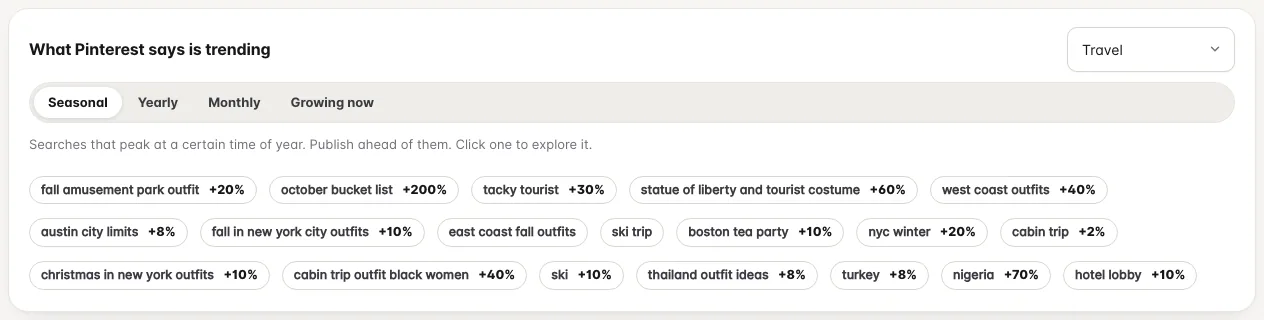
Seasonal, yearly, monthly and fast-growing searches from Pinterest itself, filtered by topic, with the ones that fit your content marked.
What you get
What it does
Four views of what is trending
Seasonal searches that peak at a time of year, yearly risers, the biggest searches this month and what is growing fastest this week.
Filter by topic
Narrow the lists to travel, food, home decor, beauty and twenty more topics, so you see trends in your niche.
Matched to your content
PinSleuth compares trends with the keywords you track and the pins you made, shows which trends you have no pin for yet, and tracks one with a click.
Three steps
How it works
Connect Pinterest
Trends use your connected account.
Open the Seasonal Calendar
The trends sit above the calendar for your own keywords.
Pick a topic
Choose one, then click any trend to explore it in the keyword explorer.
Questions
Common questions
How often do the trends update?
The lists are fetched once a day and shared, so they open quickly.
Why do some trends look off-topic?
With no topic chosen, the lists cover all of Pinterest. Pick a topic to narrow them, and use the matched list on Pin Performance to see only what fits your content.
Keep going
Works well with
Start your 14-day free trial
Pick a plan, add a card, and pay nothing if you cancel within 14 days.