 PinSleuth
Pinterest SEO, finally explained
See why pins rank. Then make yours rank.
PinSleuth takes you from the keyword to the published pin to the ranking, then tells you what to fix when it slips. One tool for the whole loop.
Keyword research
AI pin writer inside Pinterest
Daily rank tracking
Your real impressions and clicks
Annotation watch
Refresh finder
Client reports
The whole loop
Finding keywords is where it starts. PinSleuth keeps going.
Pinterest SEO is a cycle, not a lookup. Each stage feeds the next.
1
Find
Pick topics worth a post.
- Real Pinterest search volumes and trends
- Opportunity score, content planner, seasonal calendar
2
Write
Make a pin that matches what ranks.
- See the annotations top pins share
- AI writer inside Pinterest’s pin builder
3
Check
Know whether it worked.
- Daily rank tracking, results page saved
- Annotation watch on your own pins
- Your real impressions, saves and clicks
4
Fix
Improve what you already have.
- Proven posts that need fresh pins
- Fading pins and pins nobody clicks
- Your own pins competing for one keyword
See it in action

From keyword to finished pin without leaving Pinterest.
Type the keyword, see what people search, and get drafts that read like a person wrote them.
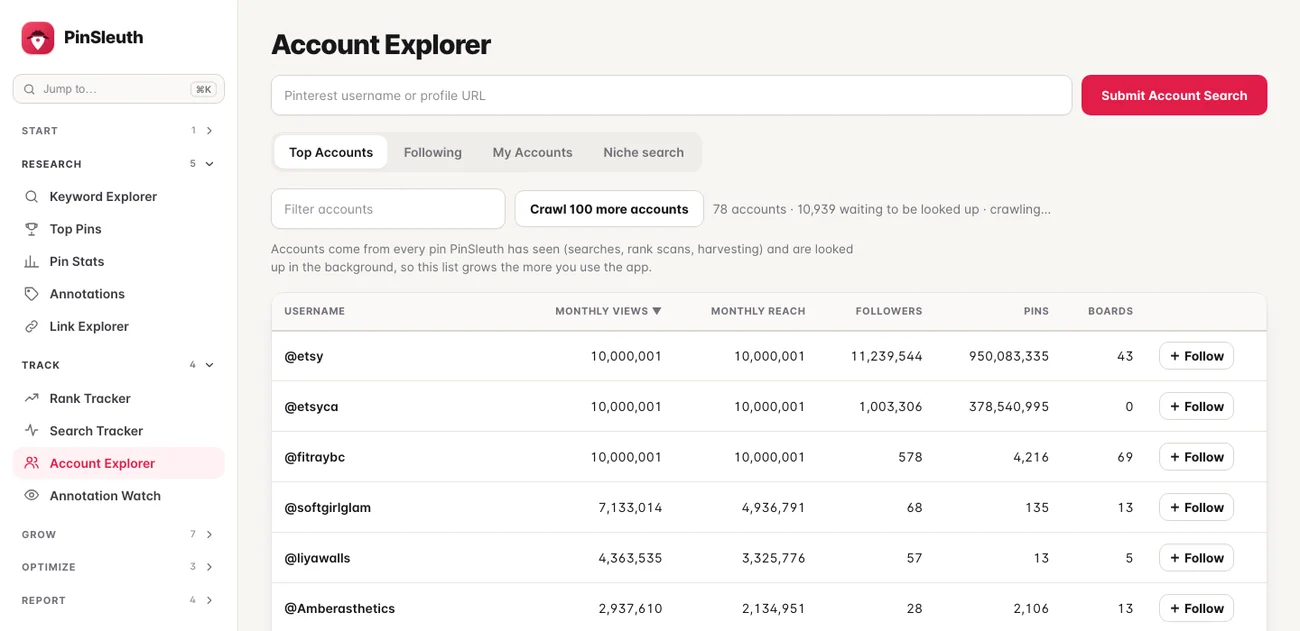
Study the accounts that win
Monthly views, reach and followers for any public account, and the keywords their pins use.
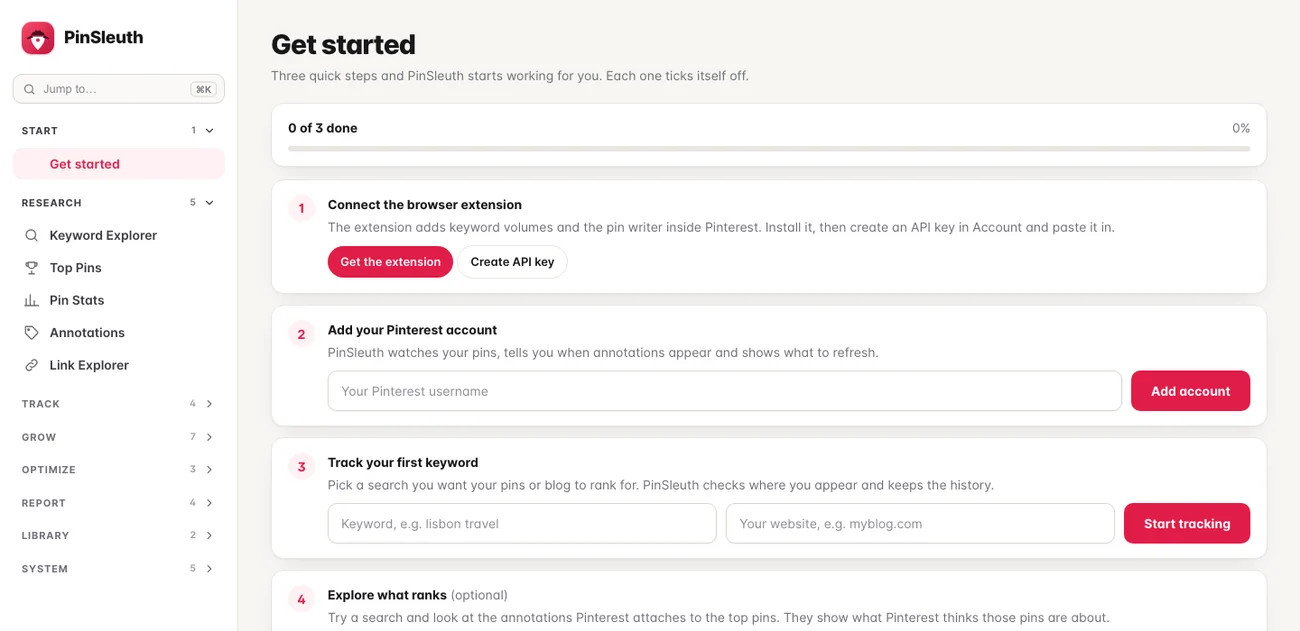
Set up in minutes
A short checklist ticks itself off as you connect the extension, add your account and track a keyword.
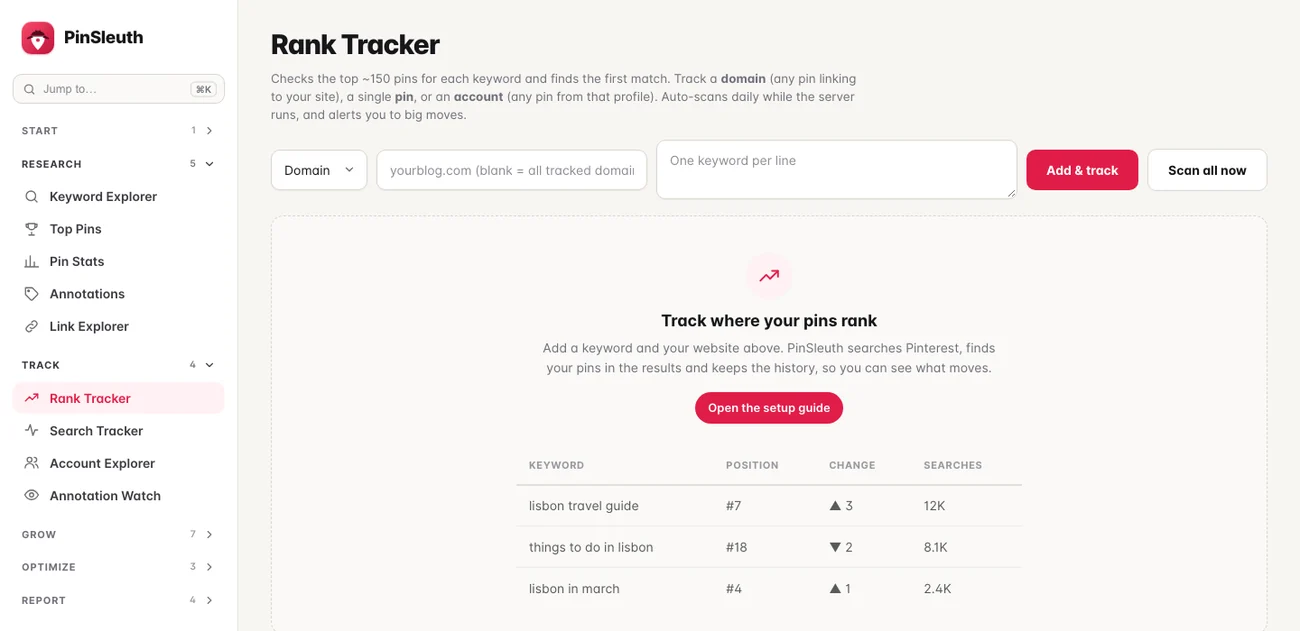
Always know the next step
Empty screens explain what they do and show an example, so nothing looks broken on day one.
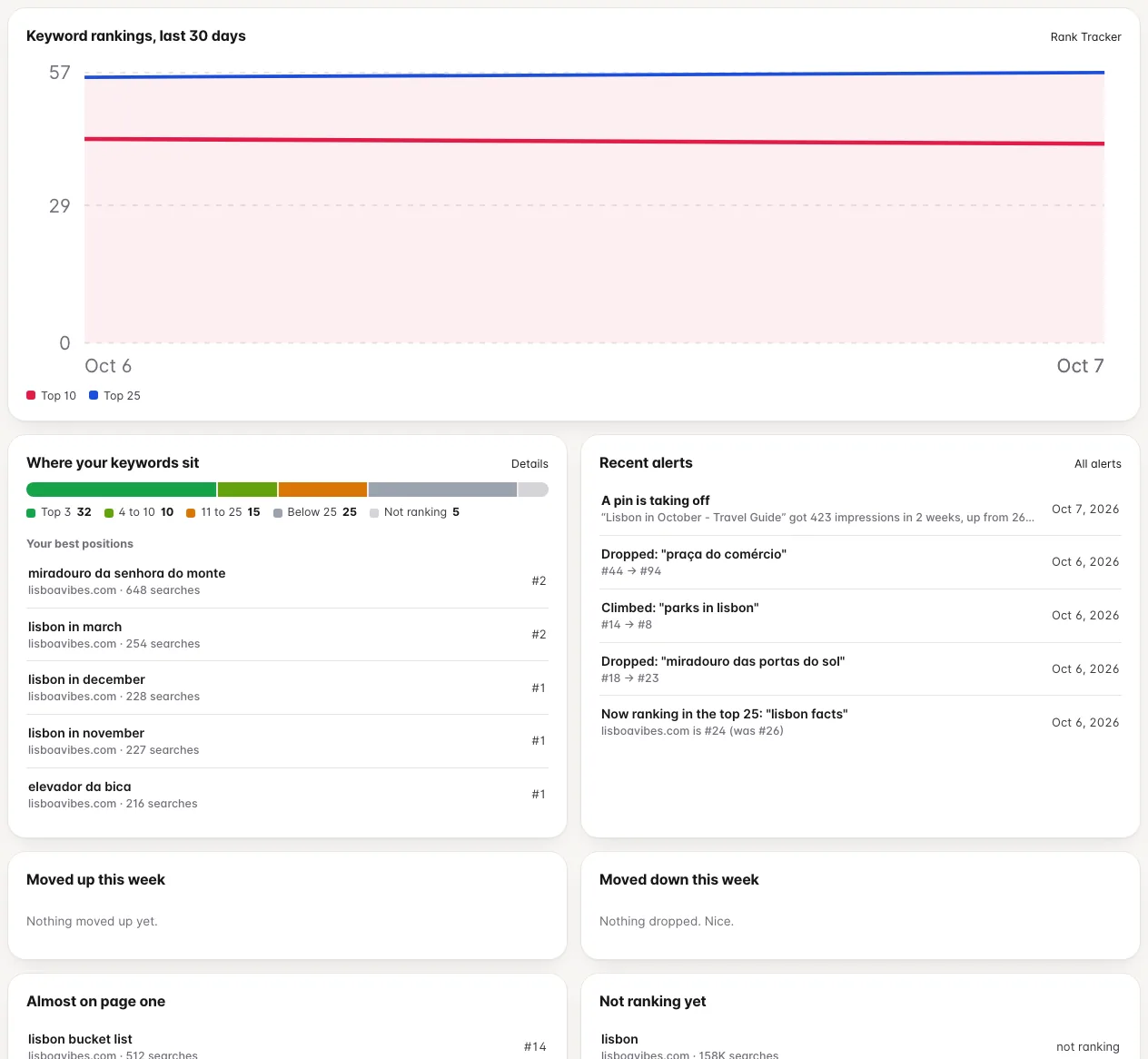
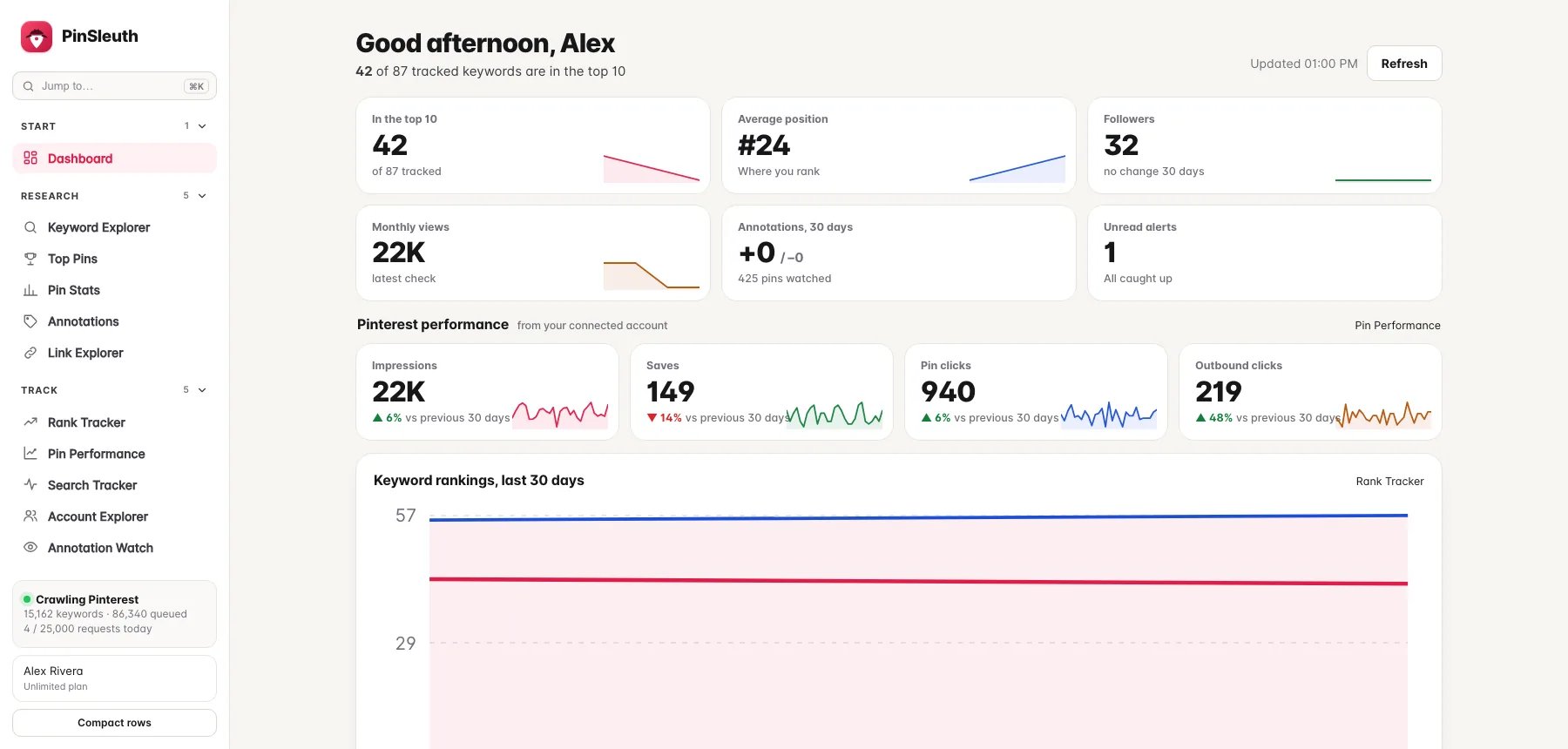
Your account at a glance
Where your keywords sit, what moved this week, and what to look at next, on one page.
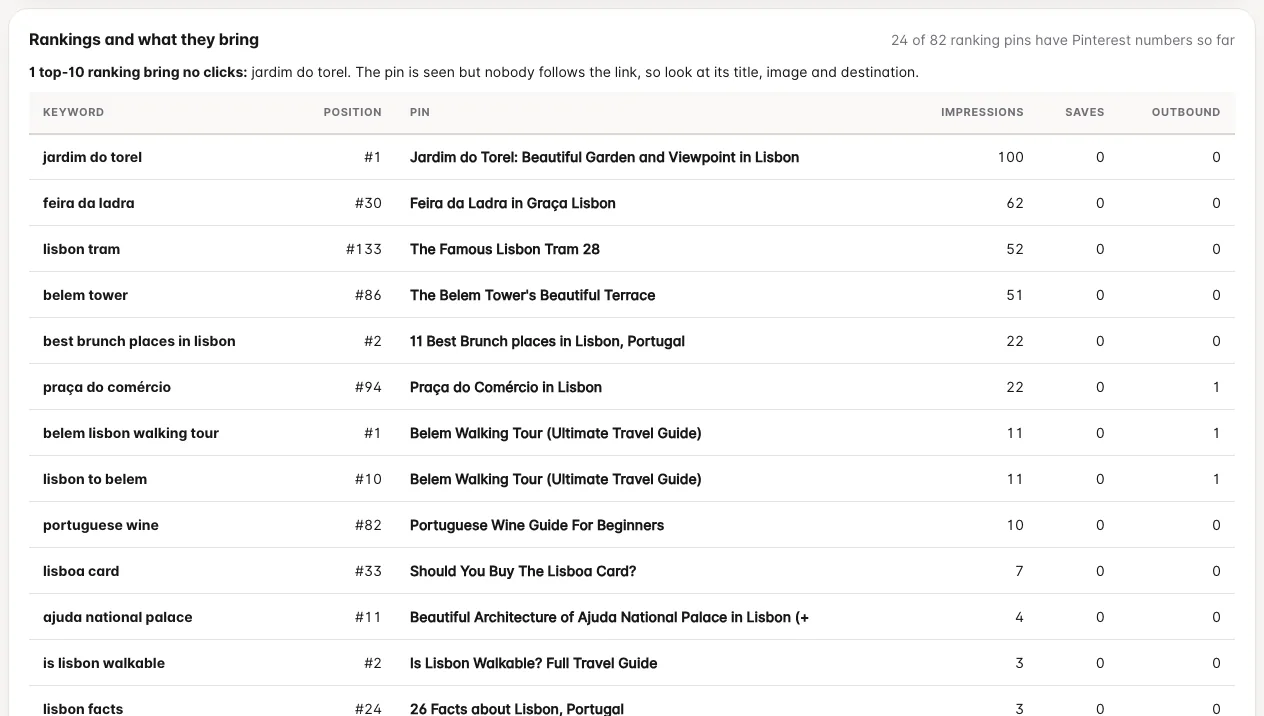
What a ranking is worth
See the pin that ranks for each keyword next to the impressions and clicks it really gets.
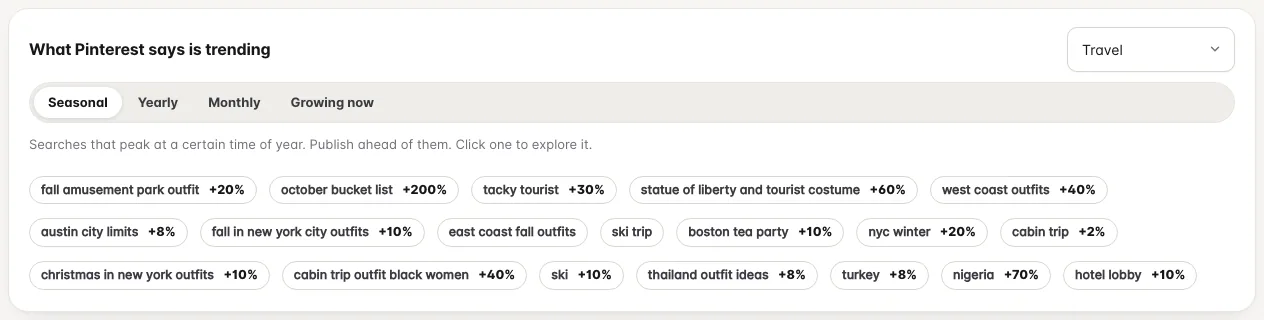
Plan around what is trending
Seasonal, yearly, monthly and growing searches from Pinterest, filtered by topic.
Why pins rank
Pinterest decides what a pin is about. See what it decided.
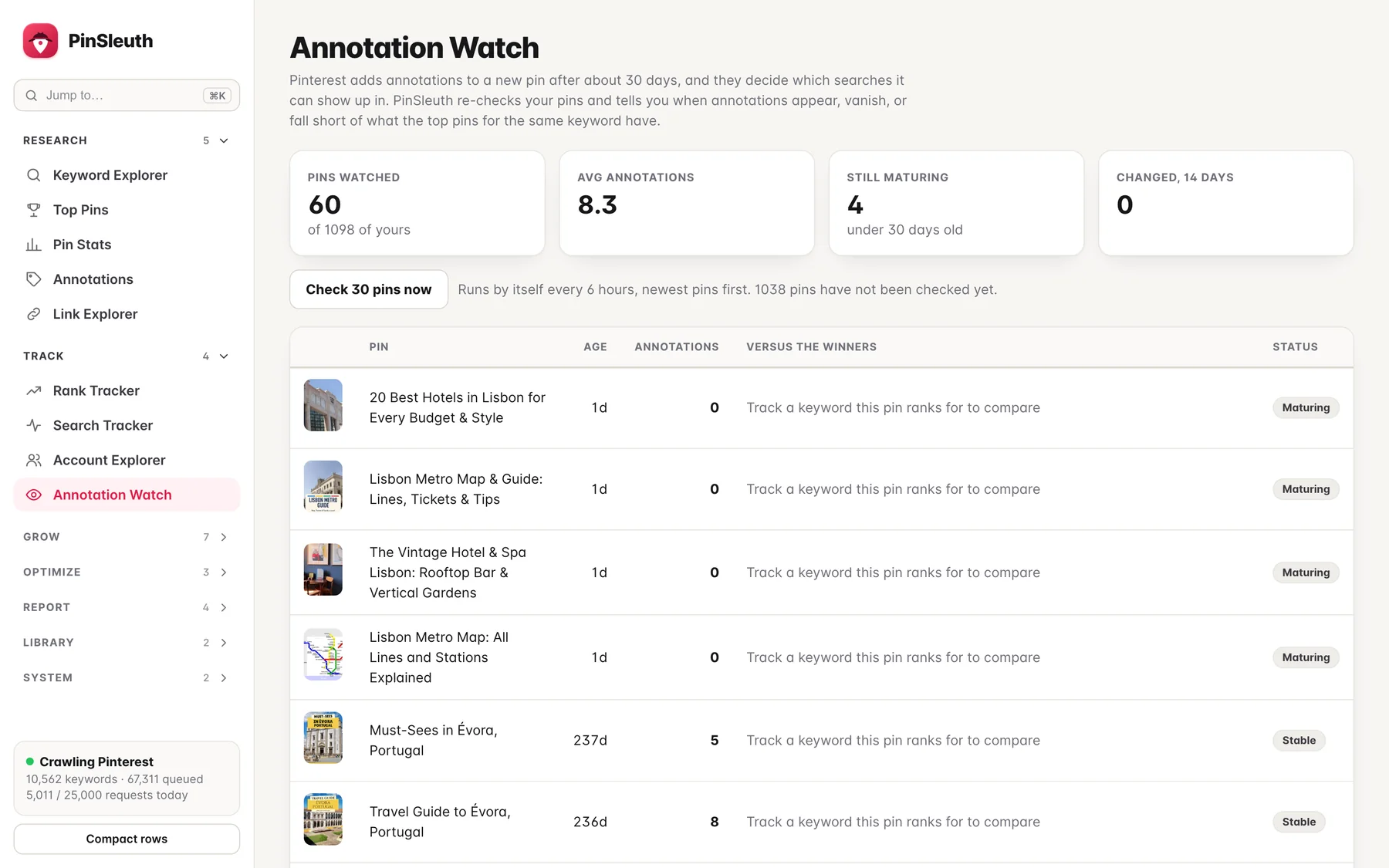
Every pin gets annotations: the keywords Pinterest itself attaches to it. They decide which searches the pin can appear in.
- See the annotations shared by the pins that rank for any keyword
- Spot exactly which ones your pin is missing and put them in your title, description and board
- Watch your own pins: get alerted when annotations appear (they can take weeks to appear) or disappear
Inside PinSleuth
From the first keyword to the weekly report
Research, plan, track and fix in one place. These are real screens, running on a real blog’s data.
Find
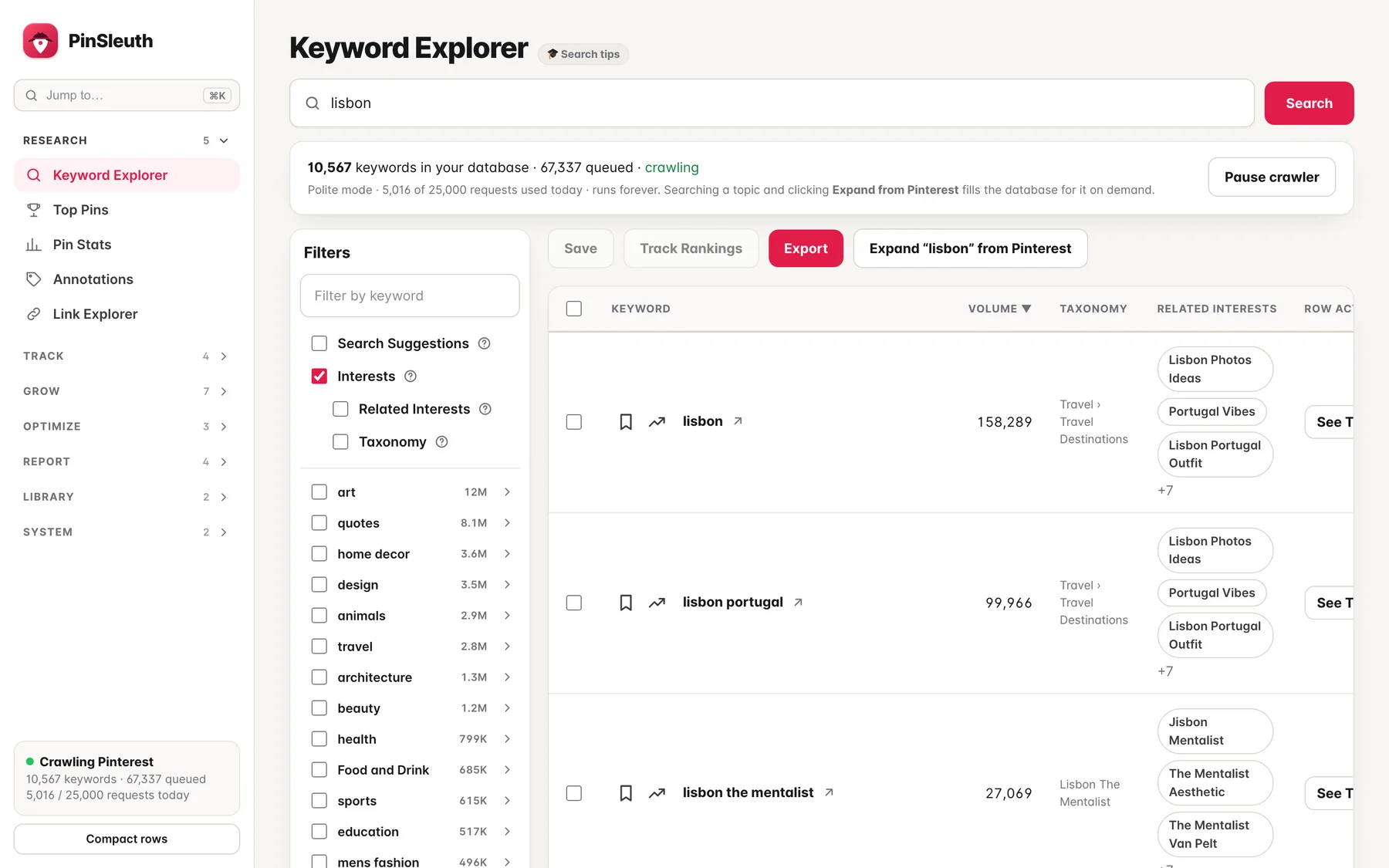
Real Pinterest search volumes, not guesses
Volumes, trends and related interests come straight from Pinterest, with filters and a category tree to narrow things down.
Find
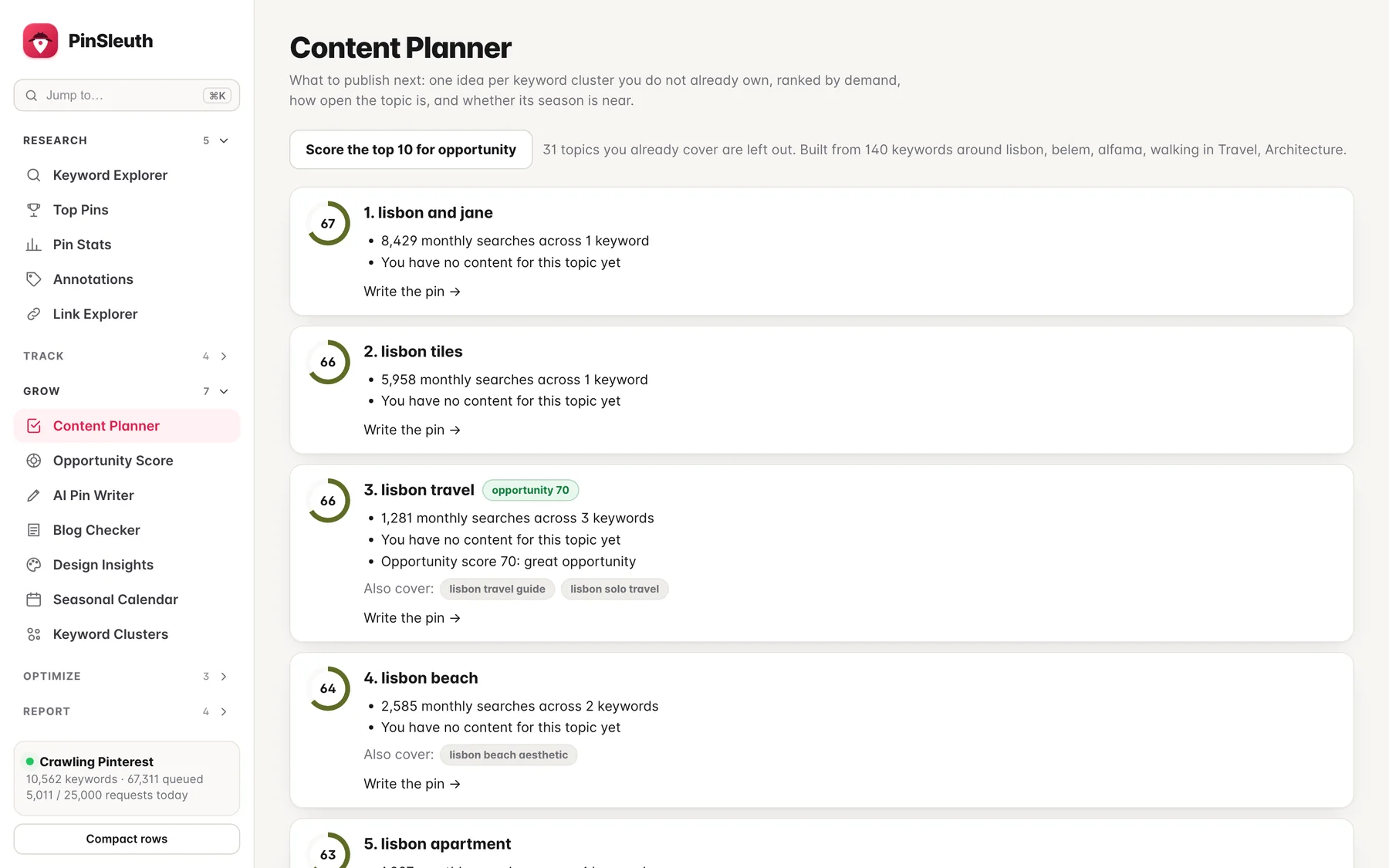
Never wonder what to publish next
One idea per topic you do not own yet, ranked by demand, how open the topic is, and whether its season is near.
Find
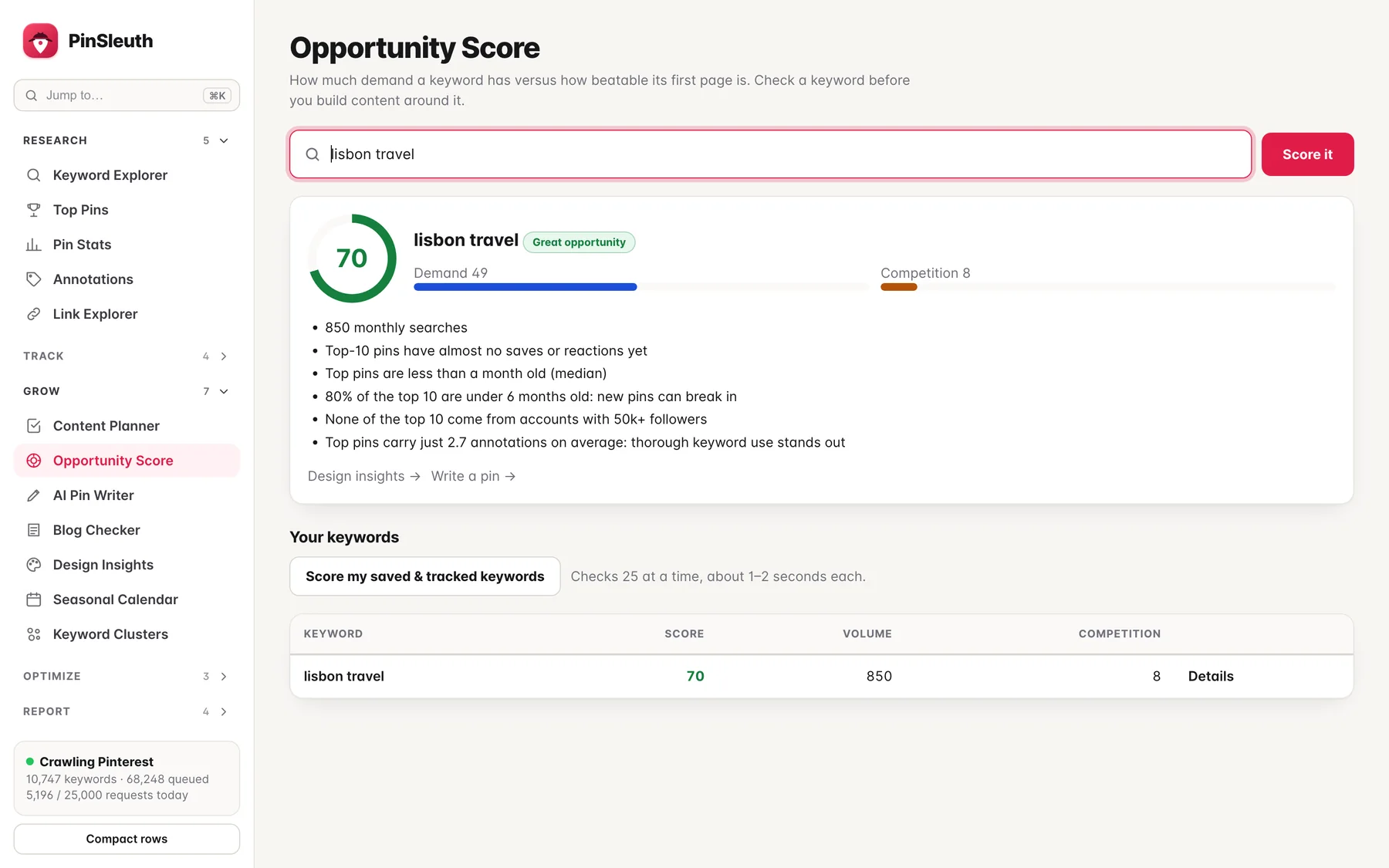
Know a keyword is worth it before you write
The opportunity score weighs demand against how beatable the first page is: how old, how strong and how large the accounts are that hold it.
Find
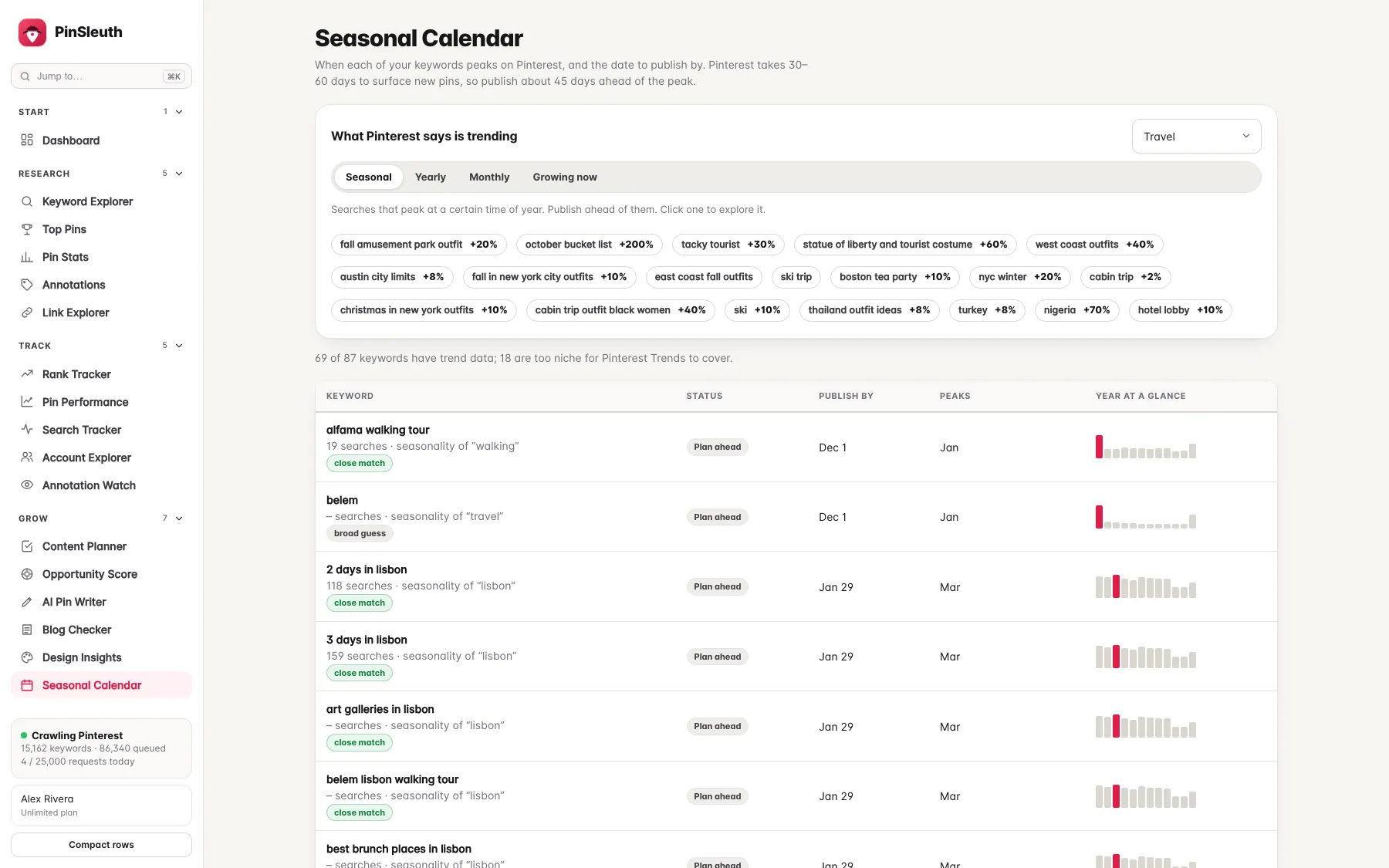
Publish before the rush, not during it
See when each topic peaks and the date to publish by, so your pins are indexed in time.
Find
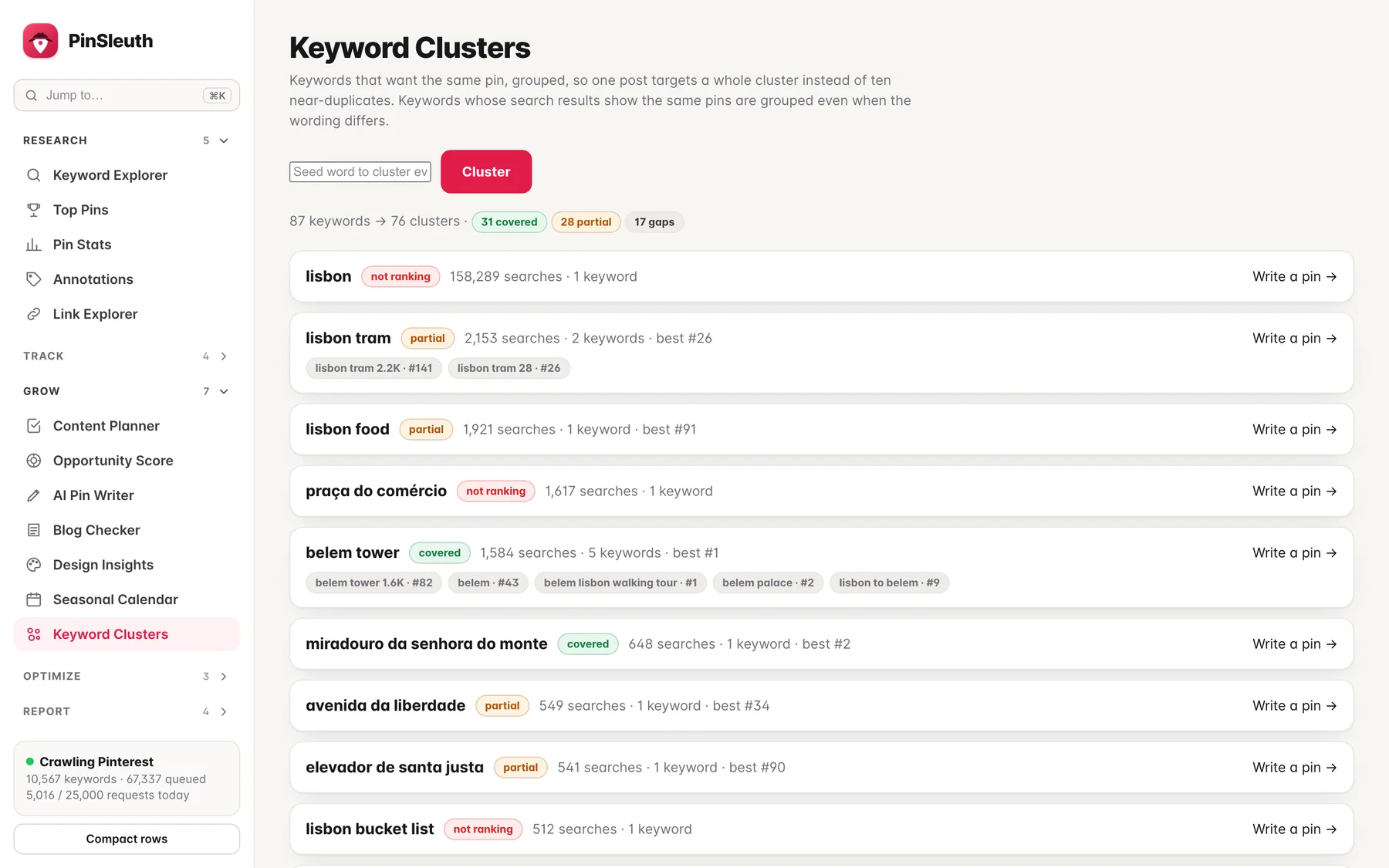
One post per topic, not ten near-duplicates
Keywords that want the same pin are grouped, with the topics you already cover and the gaps marked.
Check
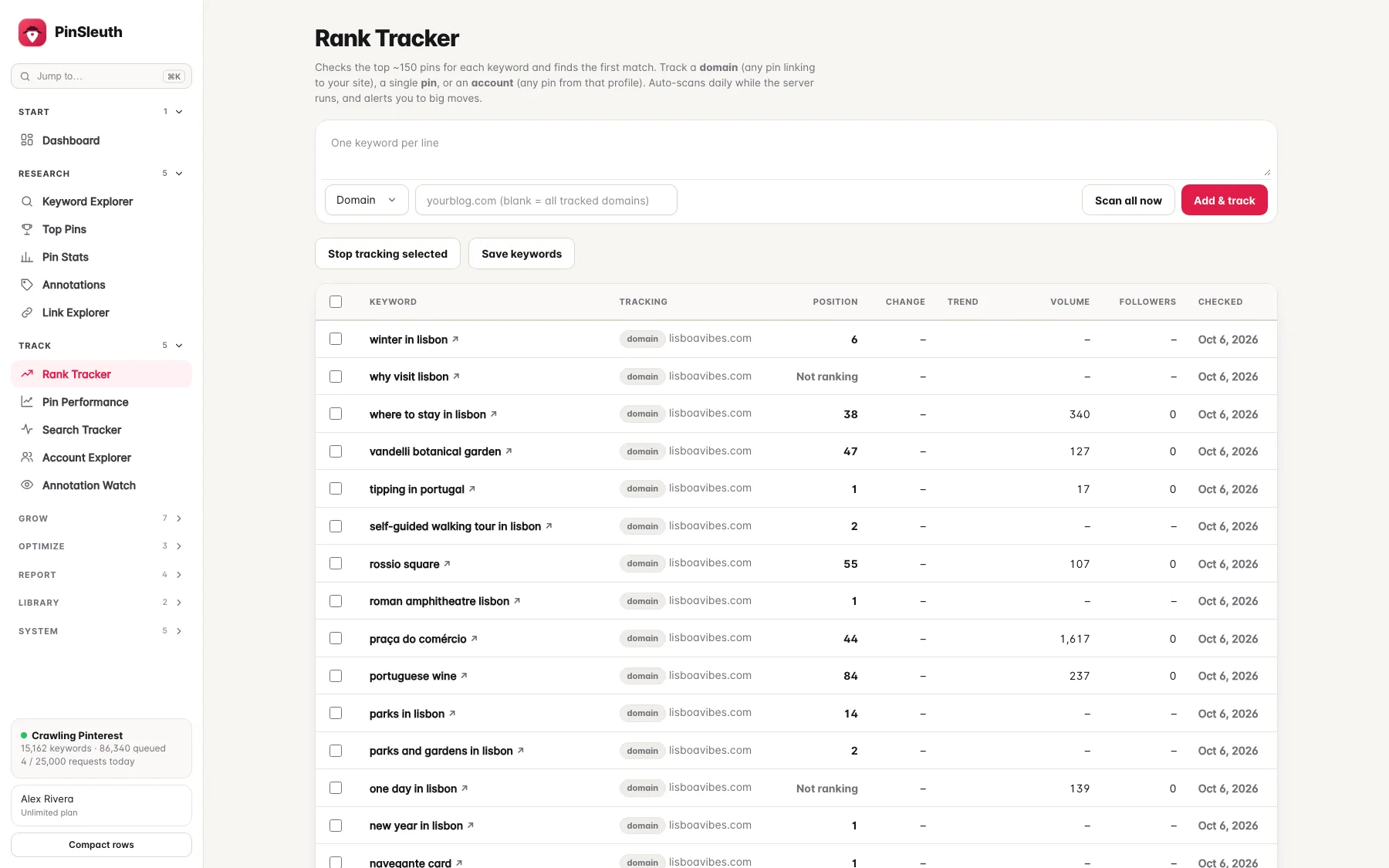
Every keyword, checked every day
PinSleuth finds where your site ranks for each keyword and saves the whole results page, so you can see who moved and why.
Check
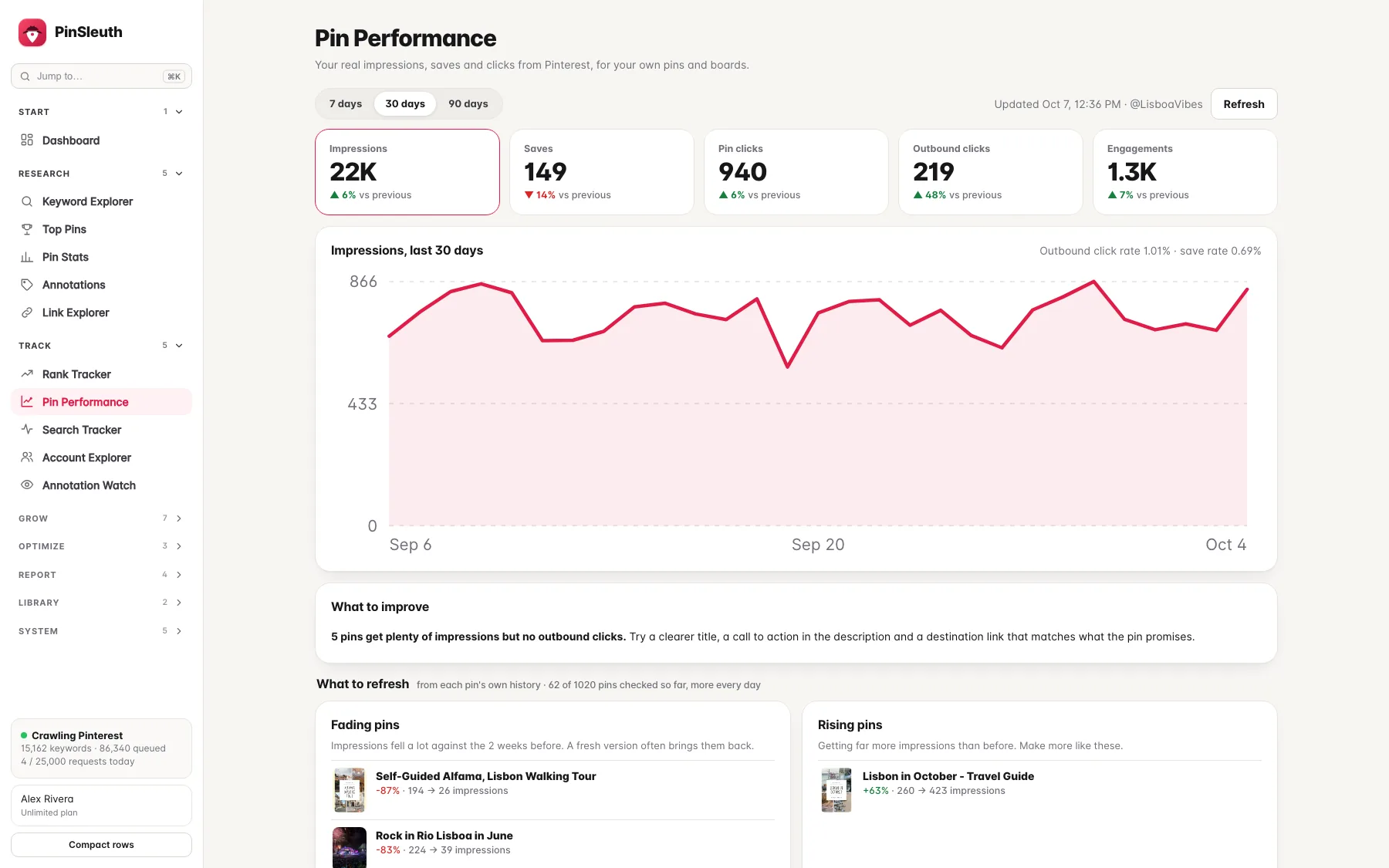
See what your pins really do
Connect your Pinterest account and see impressions, saves and clicks for your own pins, next to your rankings. PinSleuth only reads your data and never posts.
Fix
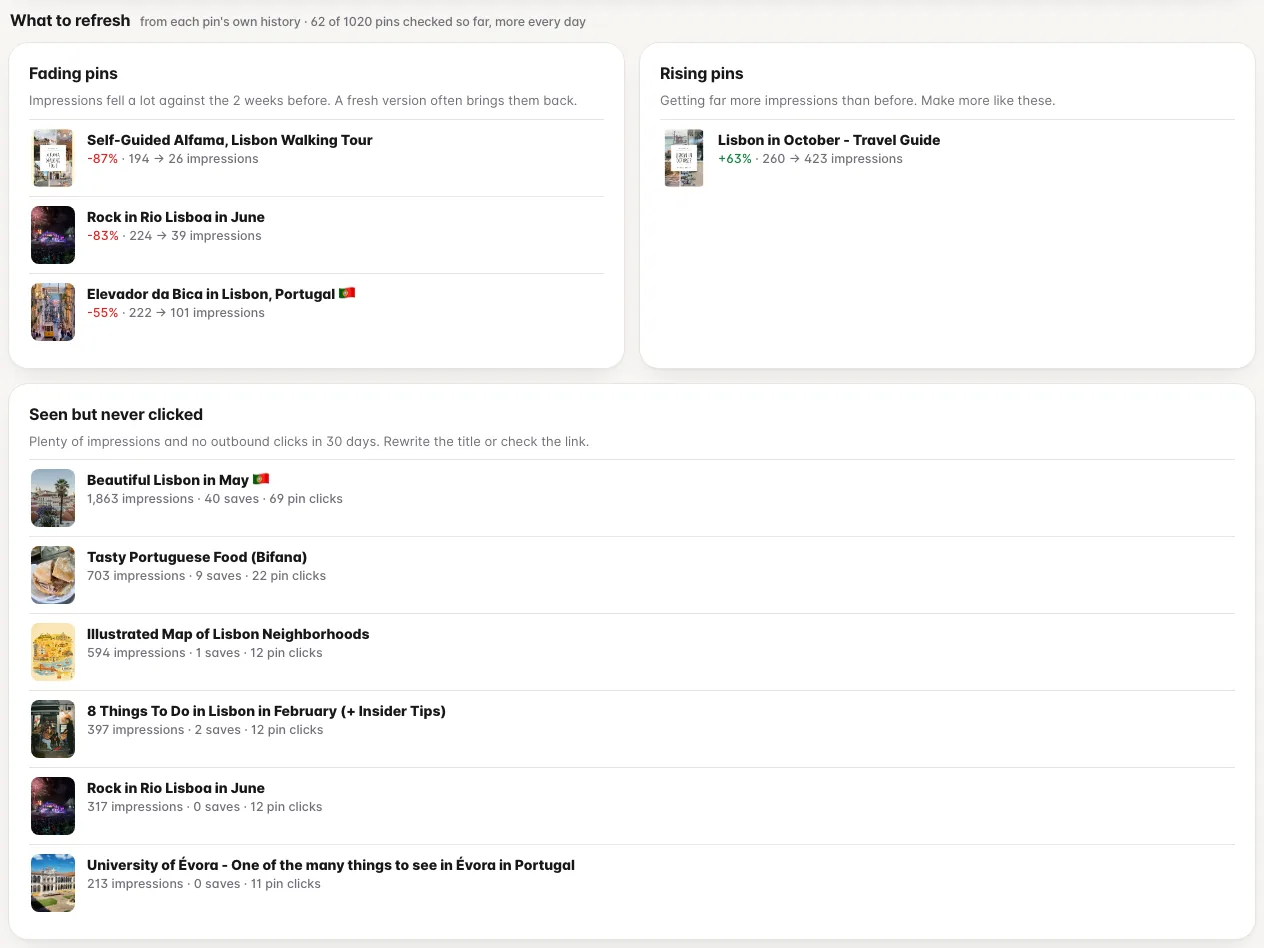
Know which pins to refresh
Fading pins, rising pins and pins that get seen but never clicked, worked out from each pin’s own history.
Fix
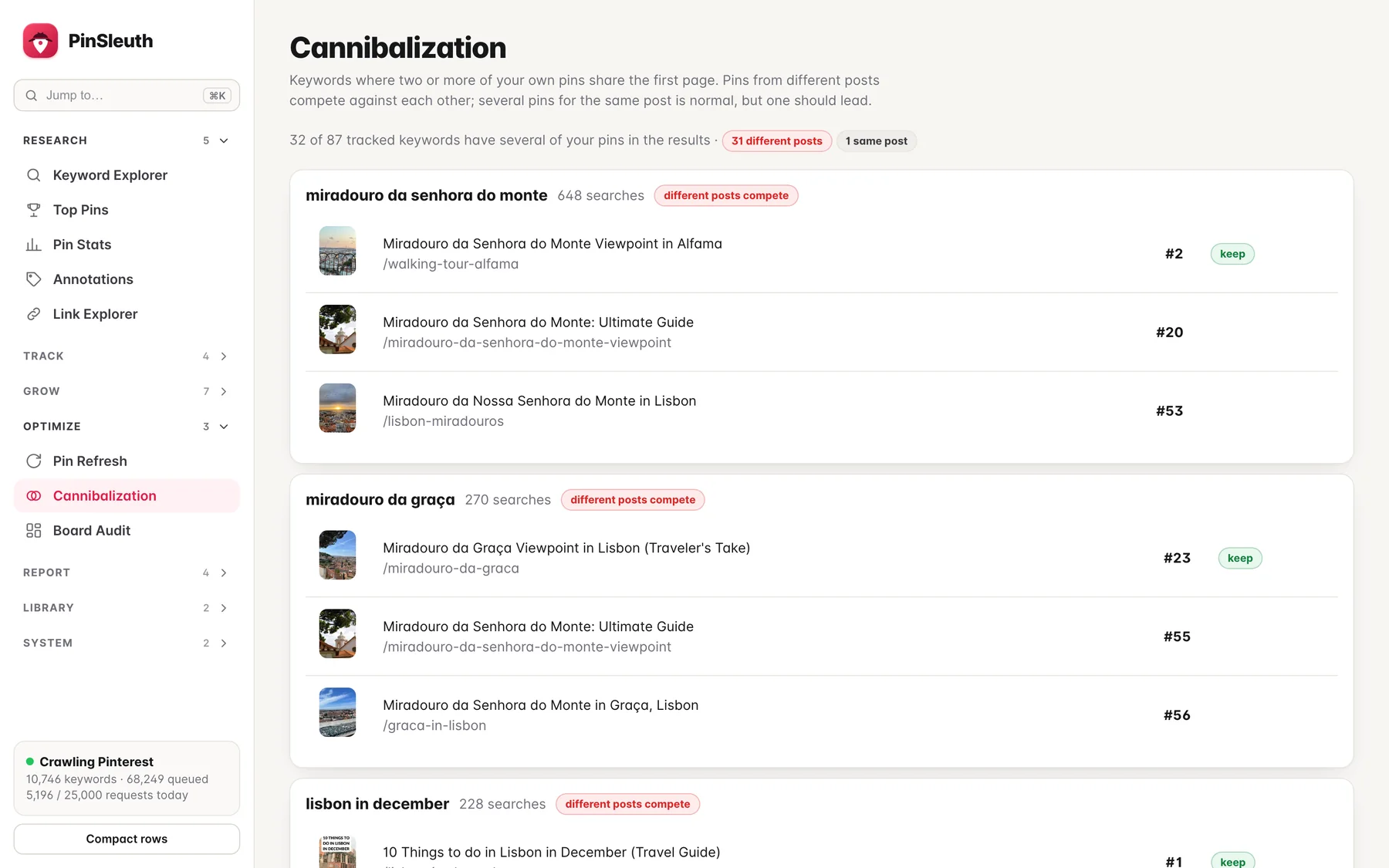
Stop your pins fighting each other
Find keywords where several of your own pins share the first page, and which one to keep promoting.
Plus dashboard · Pinterest trends · weekly digest · client reports · share of voice · pin velocity alerts · board audit
Chrome extension
Write the pin where you make it.
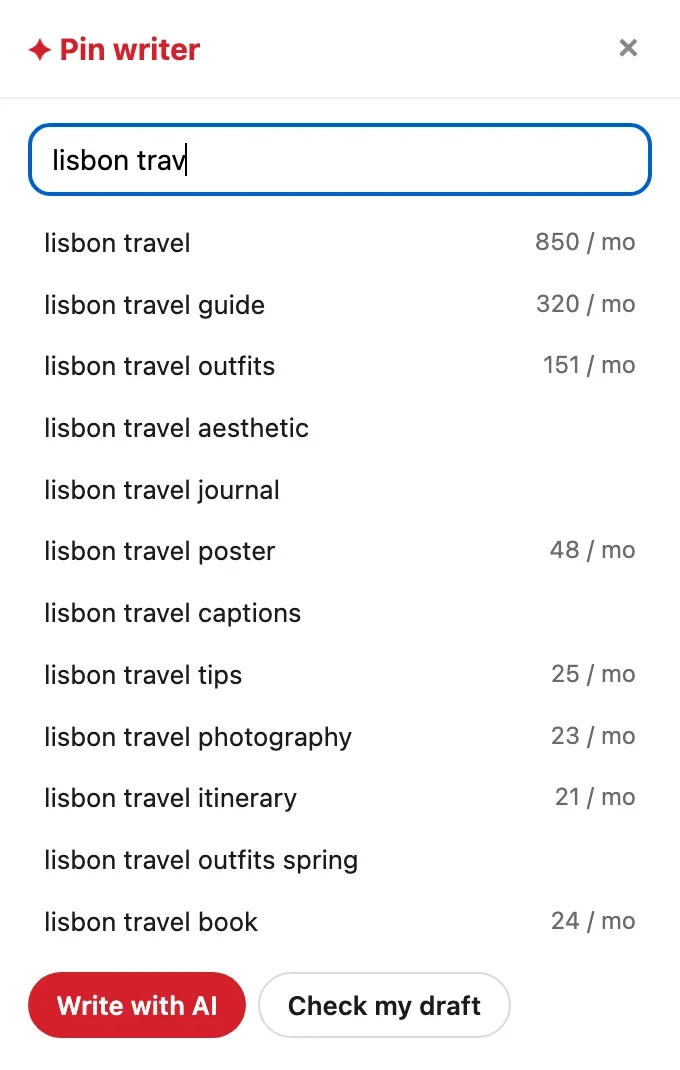
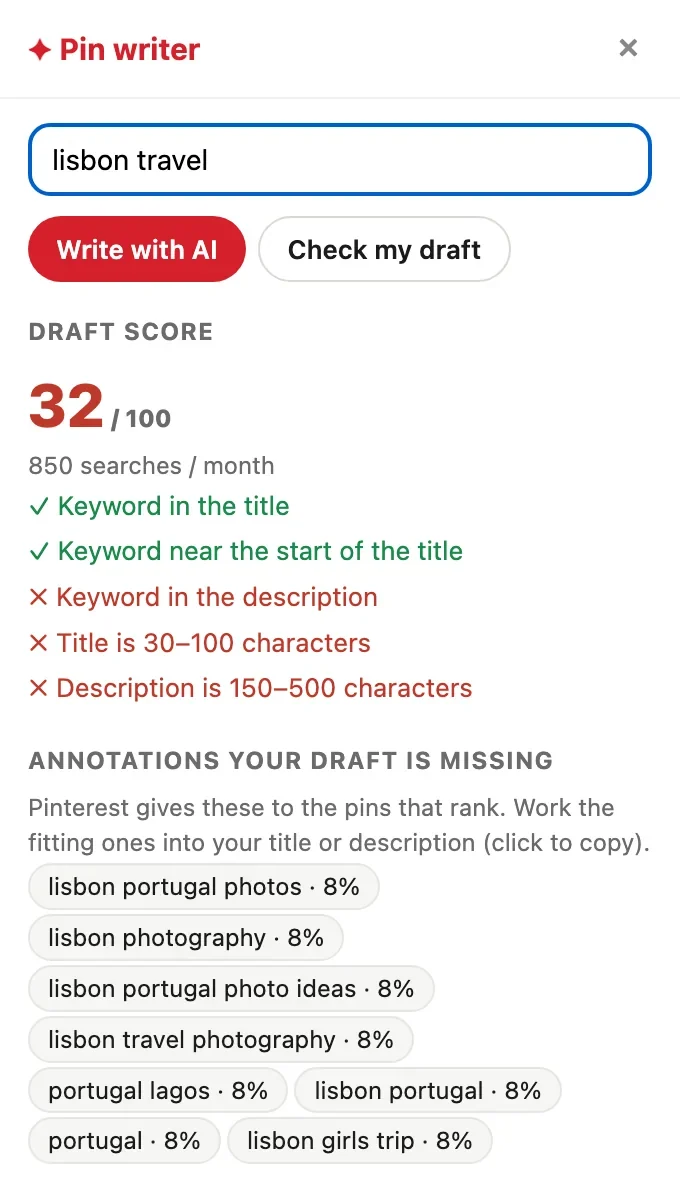
A side panel opens on Pinterest’s pin creation page. Type your keyword, see what people search with volumes, check your draft, and let the AI draft titles and descriptions that use the right annotations.
- Live keyword suggestions with volumes while you type
- A score for your draft, and what it is missing
- One click fills Pinterest’s own title and description fields
- Saves and AI Modified or NoIndex labels on every pin as you scroll
What changes
What happens after you find a keyword?
The research is the easy part. This is where most people are on their own.
| The usual way | With PinSleuth | |
|---|---|---|
| Choosing what to write | Guess from search volume | Opportunity score, season and a ranked content plan |
| Writing the pin | Blank page, then hope | A draft scored against the annotations that rank, with AI help inside Pinterest |
| After publishing | Wait and wonder | Annotation watch and daily rank checks tell you what happened |
| When a ranking slips | Notice weeks later | Alerts, plus who moved in and who dropped out |
| Older posts | Forgotten | A list of proven posts that need fresh pins |
| Reporting to clients | Screenshots and spreadsheets | Branded report links and a weekly digest |
Bloggers and creators
- Know which posts deserve new pins
- Plan content around seasons and demand
- Replace spreadsheets and guesswork
Agencies and freelancers
- Track many sites and keyword sets
- Branded, read-only client reports
- Weekly digests that do the reporting for you
Pricing
Simple plans, cancel any time
Every plan starts with a 14-day free trial.
Solo
For one blog or shop getting started with Pinterest SEO.
Billed monthly$144 billed yearly
- 1 website
- 100 tracked keywords
- Full keyword and pin research
- Annotation gap finder
- Chrome extension and AI pin writer
- Dashboard and Pinterest analytics
Pro
For serious creators growing traffic from Pinterest.
Billed monthly$279 billed yearly
- 3 websites
- 500 tracked keywords
- Annotation watch on your pins
- Content planner and keyword clusters
- Seasonal calendar and weekly digest
- Refresh, cannibalization and board audits
Agency
For agencies and freelancers managing client accounts.
Billed monthly$759 billed yearly
- 15 websites
- 3,000 tracked keywords
- Everything in Pro
- Branded client reports
- Team seats
Prices in US dollars, excluding VAT. Every plan starts with a 14-day free trial: cancel before it ends and you pay nothing. Sold to businesses and professionals.
Questions
Good to know
How is PinSleuth different from other Pinterest tools?
Pinterest tools tend to specialise: some in keyword research, some in scheduling. PinSleuth is built around the whole loop: choosing topics, writing the pin inside Pinterest, tracking whether it worked, and finding what to fix. It is not a scheduler, and we do not claim to have the biggest keyword database. We compete on what you can do with the data.
Is PinSleuth affiliated with Pinterest?
No. PinSleuth is an independent product. Pinterest is a trademark of Pinterest, Inc.
Where does the data come from?
Research data comes from Pinterest’s public pages and Pinterest Trends, the same information anyone can see in a browser, collected at a gentle pace so it stays reliable. Your own impressions, saves and clicks come from Pinterest’s official API when you choose to connect your account.
Do I need to connect my Pinterest account?
No. Keyword research, top pins, annotations and rank tracking need no login: you enter your website’s domain, not your password. If you want your own impressions, saves and clicks, you can connect through Pinterest’s official sign-in. The connection is read-only, PinSleuth cannot post or change anything, and you can disconnect and delete that data any time.
Will it post or schedule pins for me?
No. PinSleuth is for research, tracking and writing. You publish on Pinterest yourself, or with the scheduler you already use.
How does the AI pin writer work?
It reads what ranks for your keyword, takes the annotations Pinterest gave those pins, and drafts titles, descriptions and board names that use them naturally. You review and edit before anything goes live.
When can I start?
Right now. Pick a plan on the pricing page and start a 14-day free trial.
What will it cost?
Solo is $15 a month, Pro $29 and Agency $79, or about 20% less when billed yearly. Prices exclude VAT. Every plan starts with a 14-day free trial and you can cancel any time.
Start your 14-day free trial
Pick a plan, add a card, and pay nothing if you cancel within 14 days.