 PinSleuth
Check · Feature
Know how your account is doing in ten seconds
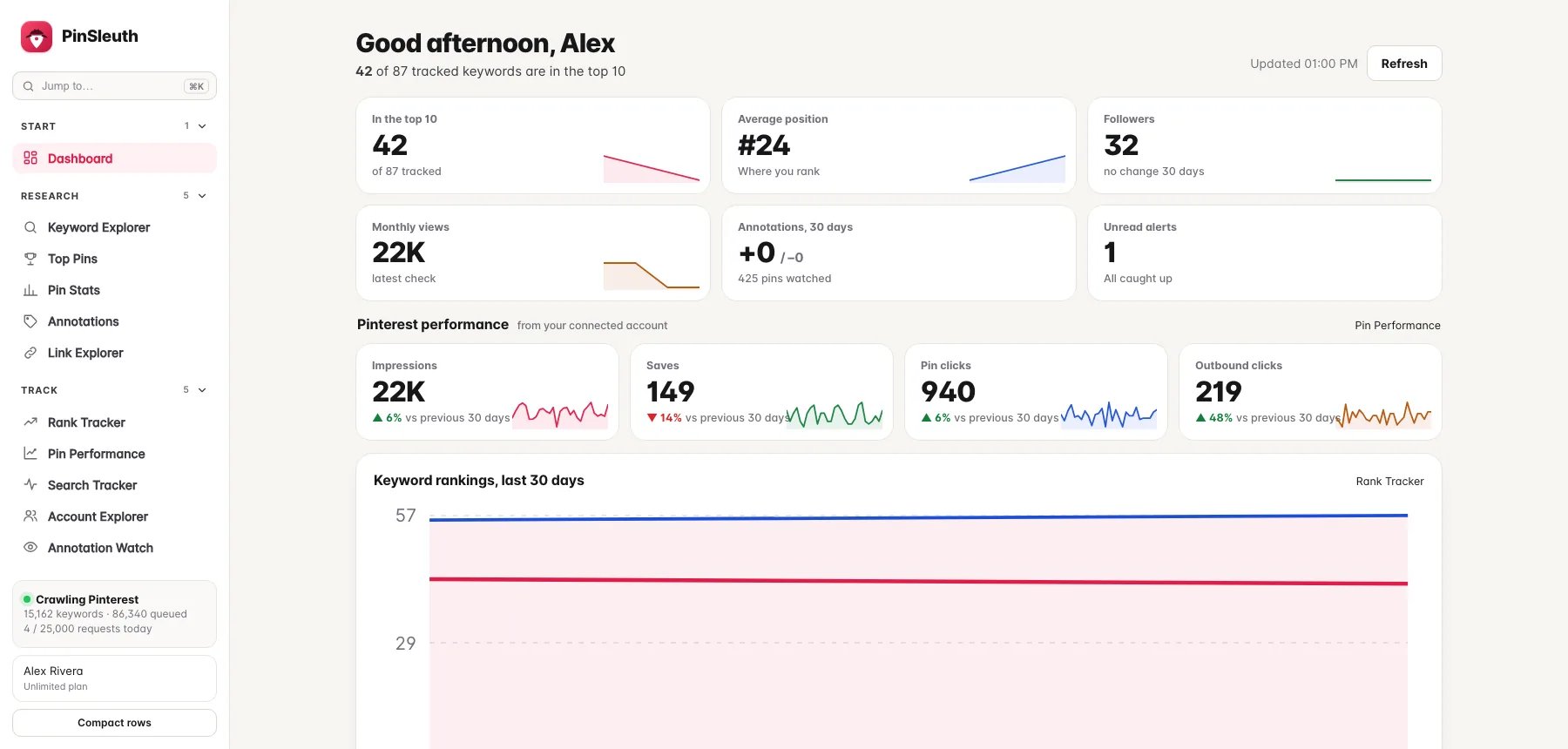
Rankings, followers, monthly views, annotation changes and alerts on one page, with what moved this week and what to look at next.
What you get
What it does
Everything on one screen
Keywords in the top 10, average position, followers, monthly views, annotation changes and alerts, each with a trend line and the change since last time.
What moved this week
Keywords that climbed or fell, keywords almost on page one and keywords not ranking yet, with their search volumes.
Detail on hover
Point at any chart to see the exact number for that day. The page fits a phone screen too.
Three steps
How it works
Open it
The dashboard is the first page after you sign in.
Scan the numbers
Green and red arrows show what changed since last week or the previous 30 days.
Click through
Every card opens the tool behind it.
Questions
Common questions
Where do the numbers come from?
Rankings come from PinSleuth’s daily checks of Pinterest search. Followers and views come from your account. Impressions, saves and clicks come from Pinterest itself, once you connect your account.
Do I have to connect Pinterest?
No. Everything except the impressions, saves and clicks cards works without connecting.
Keep going
Works well with
Start your 14-day free trial
Pick a plan, add a card, and pay nothing if you cancel within 14 days.