PinSleuth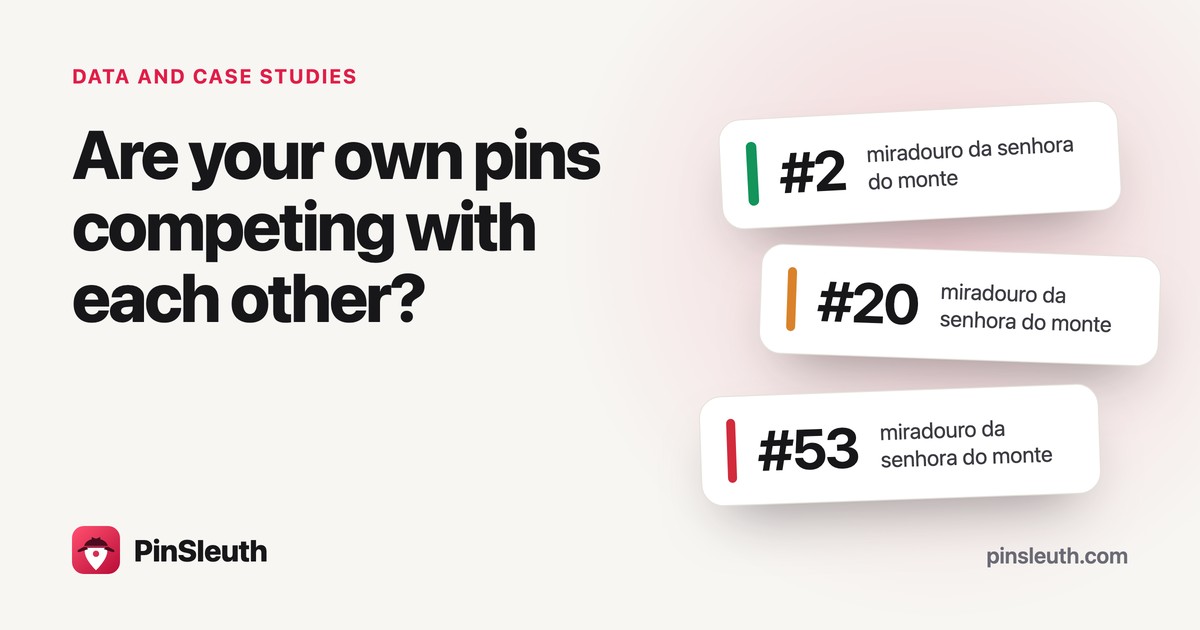
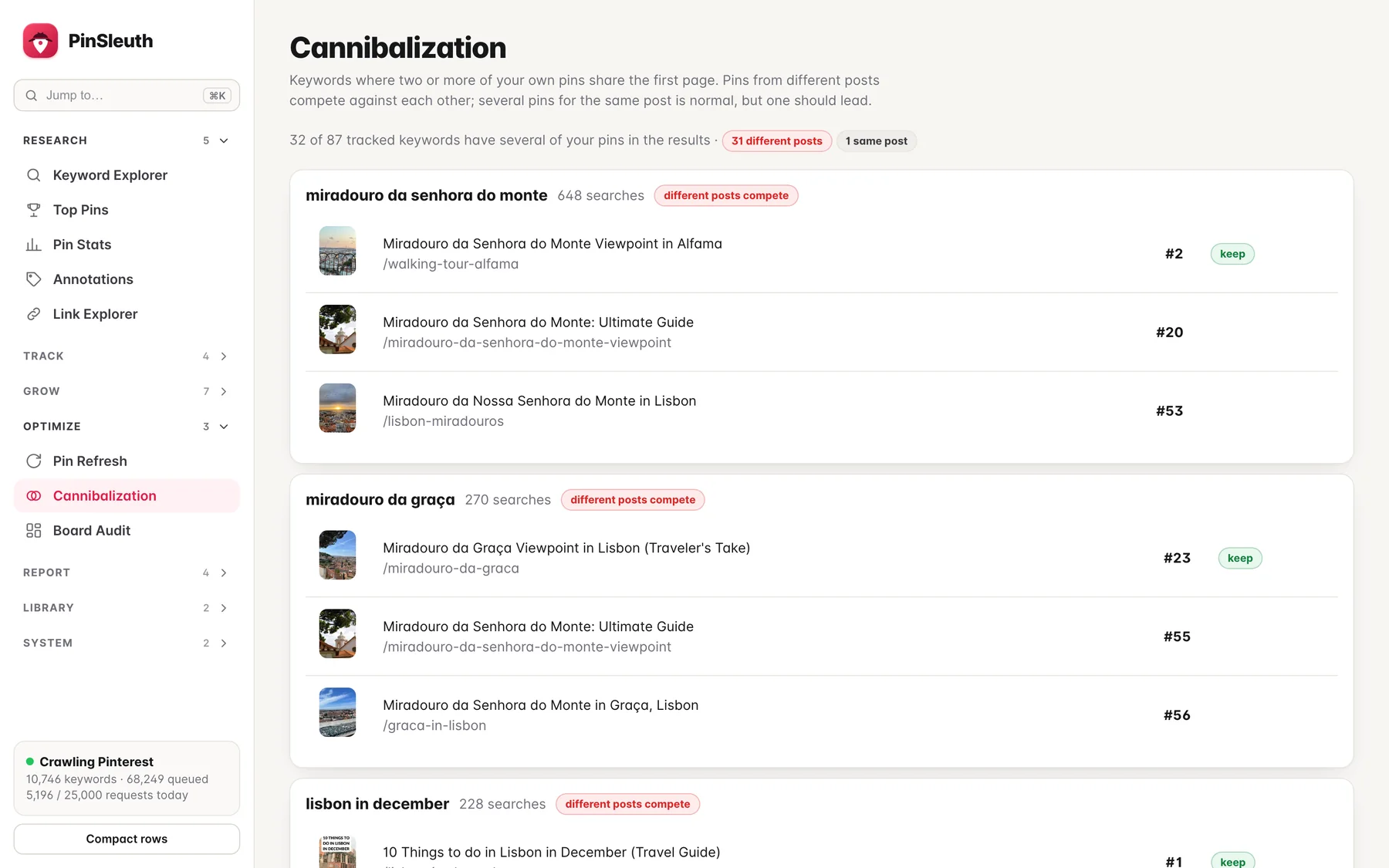
Search “miradouro da senhora do monte” on Pinterest and three pins from the same blog show up in the first 60 results: at #2, #20 and #53. They lead to three different posts.
Is that a strength, because the blog owns more of the page? Or a weakness, because three posts are saying the same thing? We looked at 87 keywords to see how common this is. The honest answer comes first: our data cannot tell you whether overlap hurts. It can show you where it happens.
What we looked at
A Lisbon travel blog we use to test PinSleuth. It has 1,116 pins that we know of, and we track 87 keywords for its domain. Each rank check looks through up to 150 results and saves the first 60, so we can see every pin from the blog that appears near the top. Everything below comes from the check on 6 October 2026.
This is one blog on one day. It is not a study, and Pinterest results differ by person, place and time. The keywords are ones we chose to target, so the blog does better on them than it would on a random list.
What we found
- 81 of 87 keywords had a pin from the blog somewhere in the first 150 results, and 43 had one in the top 10.
- 32 keywords had two or more of the blog’s pins in the first 60 results. On 31 of them the pins came from different posts. On the other one, every pin led to the same post.
- On 23 of those 31 keywords, the best pin was in the top 10.
- On 7, two different posts were both in the top 10.
- On 19, a second post sat inside the top 25.
Here are some of the biggest keywords where it happened:
| Keyword | Searches a month | Our pins in the results | Different posts |
|---|---|---|---|
| miradouro da senhora do monte | 648 | #2, #20, #53 | 3 |
| miradouro da graça | 270 | #23, #55, #56 | 3 |
| lisbon in december | 228 | #1, #40 | 2 |
| elevador da bica | 216 | #1, #17 | 2 |
| lisbon in february | 184 | #2, #7 | 2 |
| carmo convent | 71 | #6, #10, #57 | 3 |
Three patterns, not one problem
Two posts, both near the top. “Lisbon in February” has pins at #2 and #7, and “carmo convent” at #6 and #10. That is more of the page than a single post would get. There is nothing to fix.
One clear leader and a straggler. “Lisbon in December” has a pin at #1 and another at #40. “Elevador da bica” has #1 and #17. The leader is doing the work. The second post could be given its own angle so it stops chasing the same words.
Several posts and none in front. “Miradouro da graça” has pins at #23, #55 and #56, from three posts about the same place. No pin is in the top 20. That pattern looks like posts splitting the same effort, and it is the one worth a closer look.
What we cannot say
Pinterest has not said that your own pins compete with each other, and our data cannot prove it. We do not know what a keyword would do if one of the overlapping posts did not exist. What overlap tells you is narrower: two posts are aiming at the same words. Whether to merge them, differentiate them or leave them is a judgement call.
What we would do about it
- List the keywords you care about and look at the first page or two of results for each. A rank tracker that saves the results page makes this a lot quicker.
- Mark every keyword where pins from two or more different posts appear.
- Sort them into the three patterns above: both near the top, one leader, or none in front.
- For “none in front”, ask whether the posts are near-duplicates. If they are, consider keeping the strongest and merging the others into it. On your own site that means a redirect, so do it carefully.
- For a straggler, give it its own keyword. A post on a viewpoint and a post on a walking tour that passes it should not be fighting for the same phrase.
- Check again in four to six weeks. Changes take a while to show up, and one check is a snapshot, not a verdict.
Check your own blog without any tool
You can do a rough version in about twenty minutes. Pick ten keywords. Search each one on Pinterest, scroll through the first few screens, and note every pin that links to your site along with its position and which post it leads to. Any keyword with pins from more than one post goes on your list.
It is slow and the positions will shift each time you look, which is why we built a cannibalization finder that does it from saved results pages. It sits next to the rank tracker and the refresh finder, which flags posts that rank but have old or too few pins.
We will run the same check on our test blog again in a couple of months and write up what changed.
Data: 87 tracked keywords, first 60 results per keyword, check of 6 October 2026, one Lisbon travel blog. Not a study.