PinSleuth
Most bloggers write a post, make a pin or two and move on. That wastes the most useful thing they own: posts that already work. A post that ranks, or has earned saves, can usually take more pins, and a fresh pin gives it another chance to be seen.
Why a new pin on an old post works
Pinterest shows pins, not posts. A new pin is a new chance to appear in a search, in front of people who never saw the old image. The post, the link and the work behind it stay the same. You are only changing the way it is presented.
How to choose which posts to refresh
- Posts whose pins already rank on the first page or two for a keyword you care about.
- Posts with pins that earned saves but have gone quiet.
- Posts with only one or two pins, however good they are.
- Seasonal posts, a few weeks before their peak.
What makes a fresh pin different enough
- A new image with a different layout, colours or photo.
- A new angle in the title. “First-time guide” and “what I would skip” are different promises for the same post.
- A new description, written fresh, not copied. See how to write one without stuffing in our guide.
- A different supporting idea, where it is true of the post.
Do not post five versions on the same day. Space them out over weeks and watch which one gets traction. Those that do are the ones to learn from.
A small routine
Once a month, list your best posts, check which have the fewest recent pins and make one or two new pins for each. Over a year that is a lot of new chances for work you have already done.
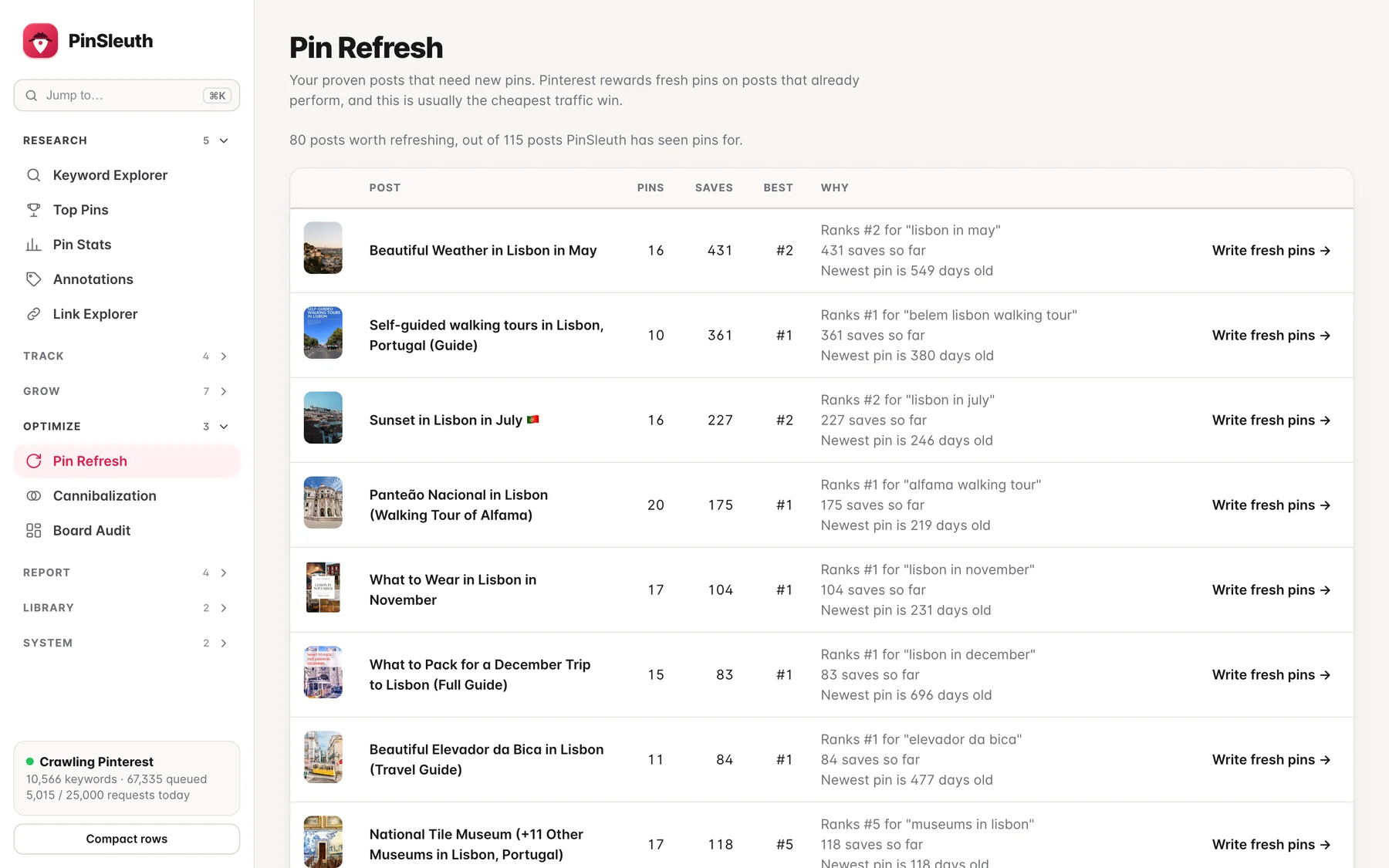
PinSleuth’s refresh finder builds that list from your own data. You can do the same by hand with a sheet that lists each post, its newest pin date and its best pin.
Quick questions
Will new pins hurt the old ones?
Not as far as we know. They are separate pins. If you notice several of your own pins fighting for the exact same keyword, give each its own angle, see our overlap post.
How many pins per post is enough?
There is no fixed number. A good aim is a few different pins per post over the first months, then one new pin every so often for the posts that perform.
Can I reuse the same image with new text?
You can, but a really new image gives a fresh pin more chance of being noticed. Change the layout or photo, not just the words.