 PinSleuth
Browser extension
Write the pin where you make it
A side panel on Pinterest’s pin creation page: the pin writer reads the page your pin links to and fills Pinterest’s own title and description fields. Free to install from the Chrome Web Store or Firefox Add-ons, and it works with your PinSleuth account.
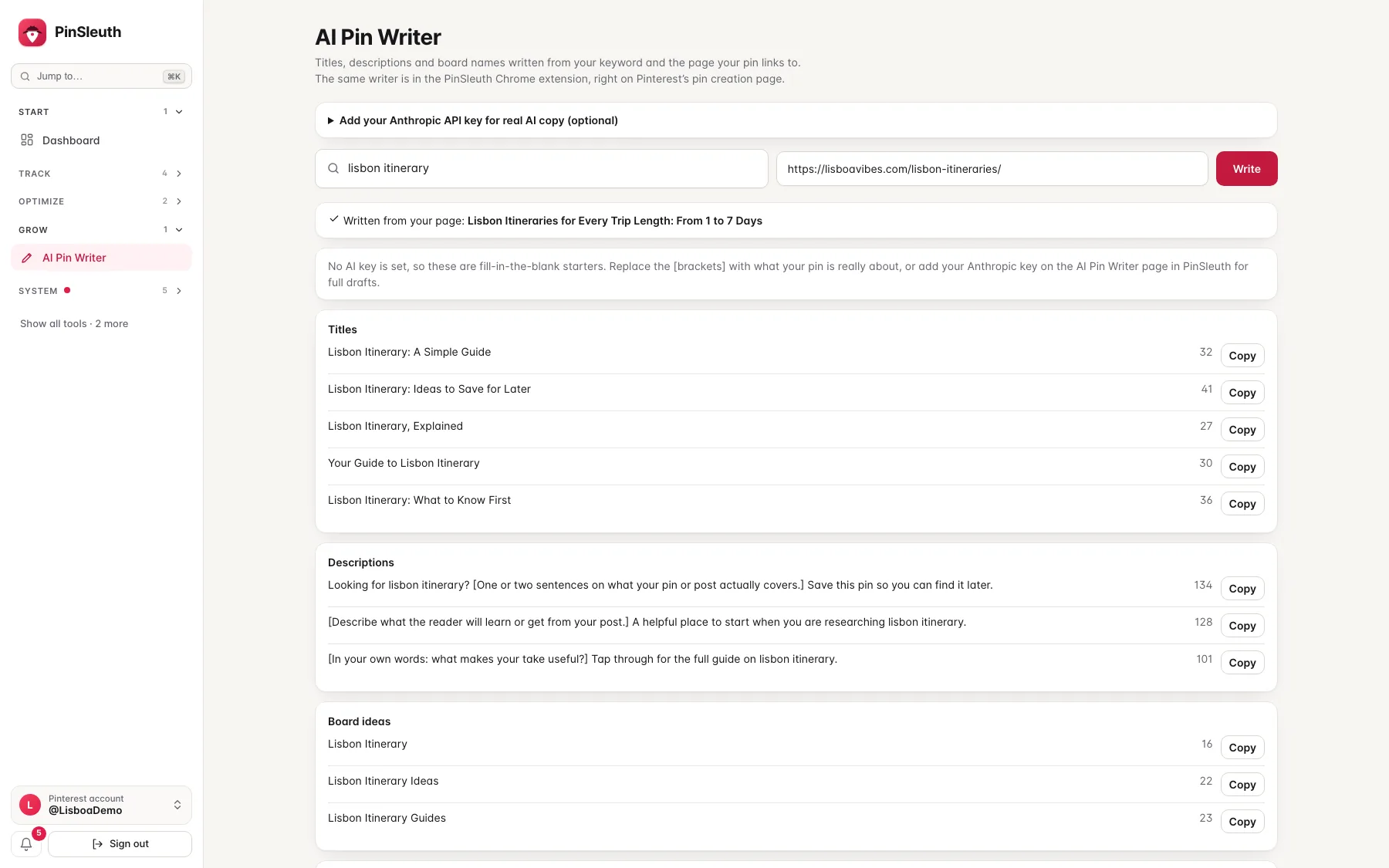
The same pin writer, shown in the app with sample data. In the extension it sits in a side panel on Pinterest’s own pin creation page.
Inside Pinterest
What the extension does
Written from your page
The writer reads the page your pin links to and drafts titles and descriptions that match it.
A check on your draft
Your title and description are checked for length, natural wording and whether the title matches your page.
AI that fills the fields
Pick a suggested title or description and it goes straight into Pinterest’s own form, ready to edit.
Your data stays yours
The extension talks to PinSleuth from your own browser. It does not post anything for you.
Questions
Common questions
Does it change Pinterest?
It adds a side panel. It does not post, schedule or edit anything on your behalf.
Which browsers does it work in?
Chrome, Firefox, and the Chromium browsers that install from the Chrome Web Store, such as Edge and Brave.
Is it available now?
Yes. Add it from the Chrome Web Store or Firefox Add-ons, then paste your PinSleuth API key into the extension. You create the key under Account in the app.
Does the extension cost extra?
No. It is included with every plan. It needs a PinSleuth account and your own Anthropic key for the AI writer.
Start your 14-day free trial
Pick a plan, add a card, and pay nothing if you cancel within 14 days.