 PinSleuth
Plan · Feature
Know which post to pin next
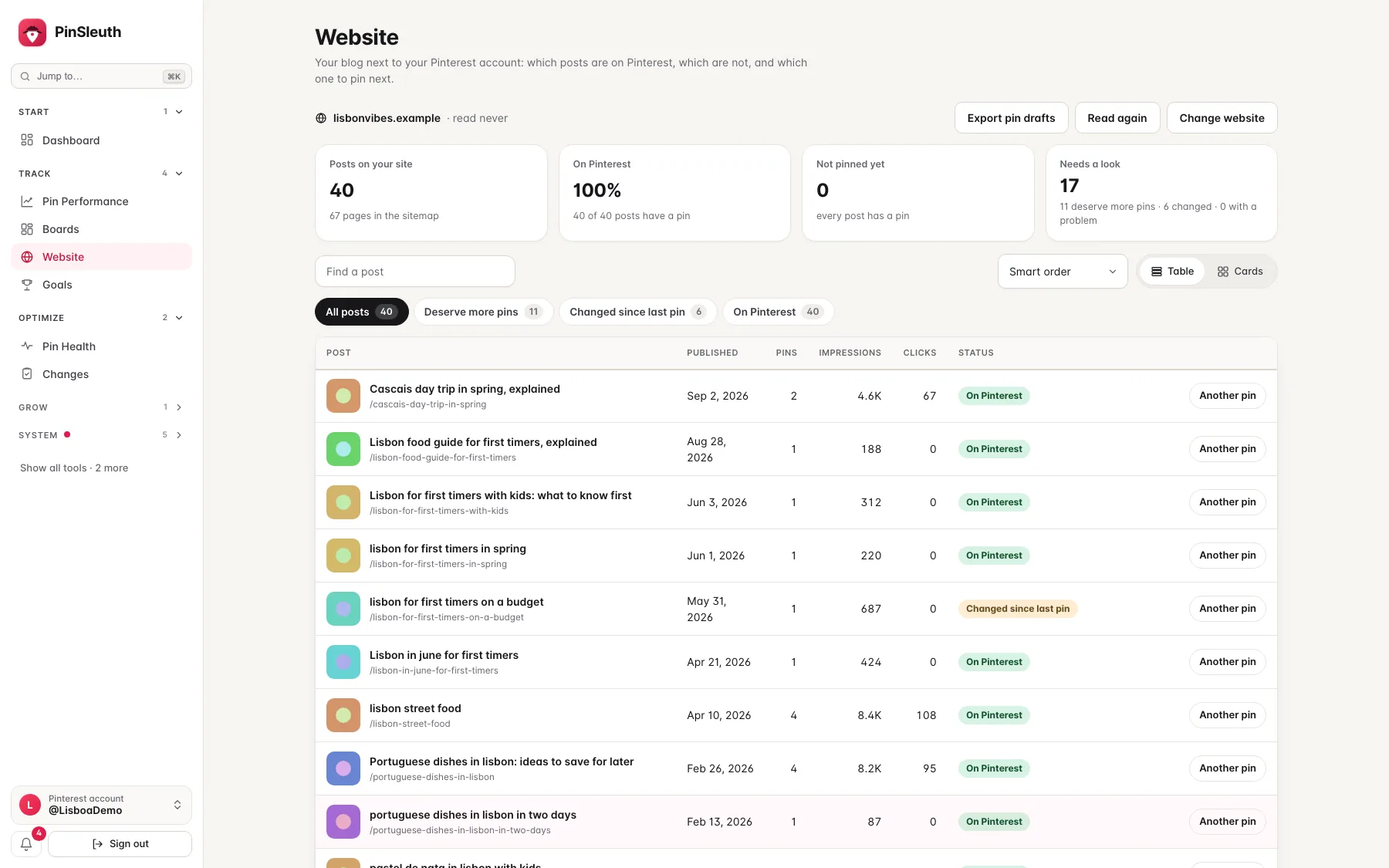
Add your blog and PinSleuth reads its sitemap, compares it with your pins and shows which posts have no pin yet, which earn well from a single pin and which one to pin next. Then export pin drafts for Pinterest’s bulk upload.
What you get
What it does
Posts without a pin
PinSleuth lists every post that no pin points to, with the one most worth pinning first and the reason why.
Posts that deserve more pins
Posts that earn well from a single pin are marked, so you know where a fresh pin is most likely to pay off.
Drafts for the bulk upload
Export pin drafts for the posts that have none, in the format Pinterest’s own bulk upload expects. You review and upload them yourself.
Three steps
How it works
Add your website
Enter the address of your blog. PinSleuth confirms it is yours, usually through your Pinterest profile or the links of your pins.
Let it read
PinSleuth reads your sitemap and posts at a gentle pace, and compares them with the pins you have.
Pin the next post
Open the post at the top of the list, write the pin, or export drafts for several posts at once.
Questions
Common questions
Does it change my website or post to Pinterest?
No. It only reads the public pages of your own site and your own pin data. You upload and publish pins yourself.
How does it read my site?
With PinSleuthBot, about one request a second, honouring robots.txt, only after confirming that the site is yours. The page about the bot explains the details.
What if I have several websites?
Each connected Pinterest account has its own website. Higher plans allow more websites.
Keep going
Works well with
Start your 14-day free trial
Pick a plan, add a card, and pay nothing if you cancel within 14 days.