 PinSleuth
Learn · Feature
Find out which pin edits worked
Change the title or description of some pins and PinSleuth notices, waits two weeks and compares them with the pins you left alone. You get a report on what worked and what did not, and suggestions for the next pins to edit.
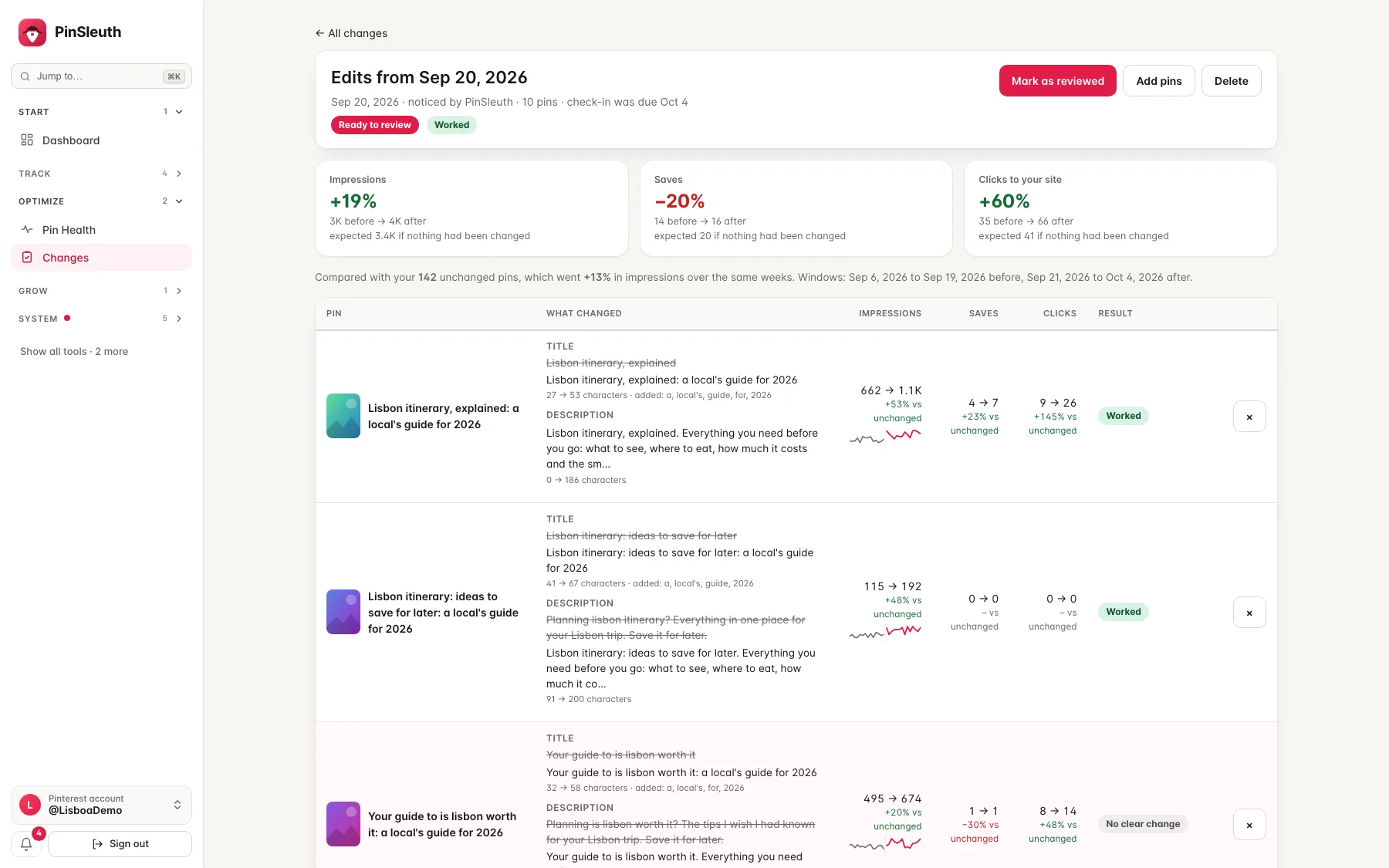
What you get
What it does
Edits are noticed by themselves
PinSleuth sees when the title, description or link of one of your pins changes and remembers what it said before. You can also add edits by hand, with a note.
A fair comparison
The edited pins are compared with your unchanged pins over the same weeks, so a good month for everything is not mistaken for a good edit.
What to try next
It shows what your edits have taught you so far, and which pins that get seen but not clicked, or have thin text, are worth editing next.
Three steps
How it works
Edit some pins
Change titles or descriptions on Pinterest as you normally would.
Wait for the report
PinSleuth finds the edits on its daily read and reminds you when the numbers are ready, usually after two weeks.
Keep what worked
Open the report, see which edits worked and which did not, and use the same moves on your next pins.
Questions
Common questions
Does PinSleuth change my pins?
No. It only reads. You make the edits on Pinterest yourself.
Does it prove that an edit caused the result?
No. It compares against your unchanged pins to be fair, and marks the result as worked, unclear or worse. Treat it as a guide.
How long until I see a result?
About two weeks, because Pinterest reports its numbers with a delay and pins keep moving for a while after an edit.
Keep going
Works well with
Start your 14-day free trial
Pick a plan, add a card, and pay nothing if you cancel within 14 days.