 PinSleuth
Diagnose · Feature
Find out why a pin is weak
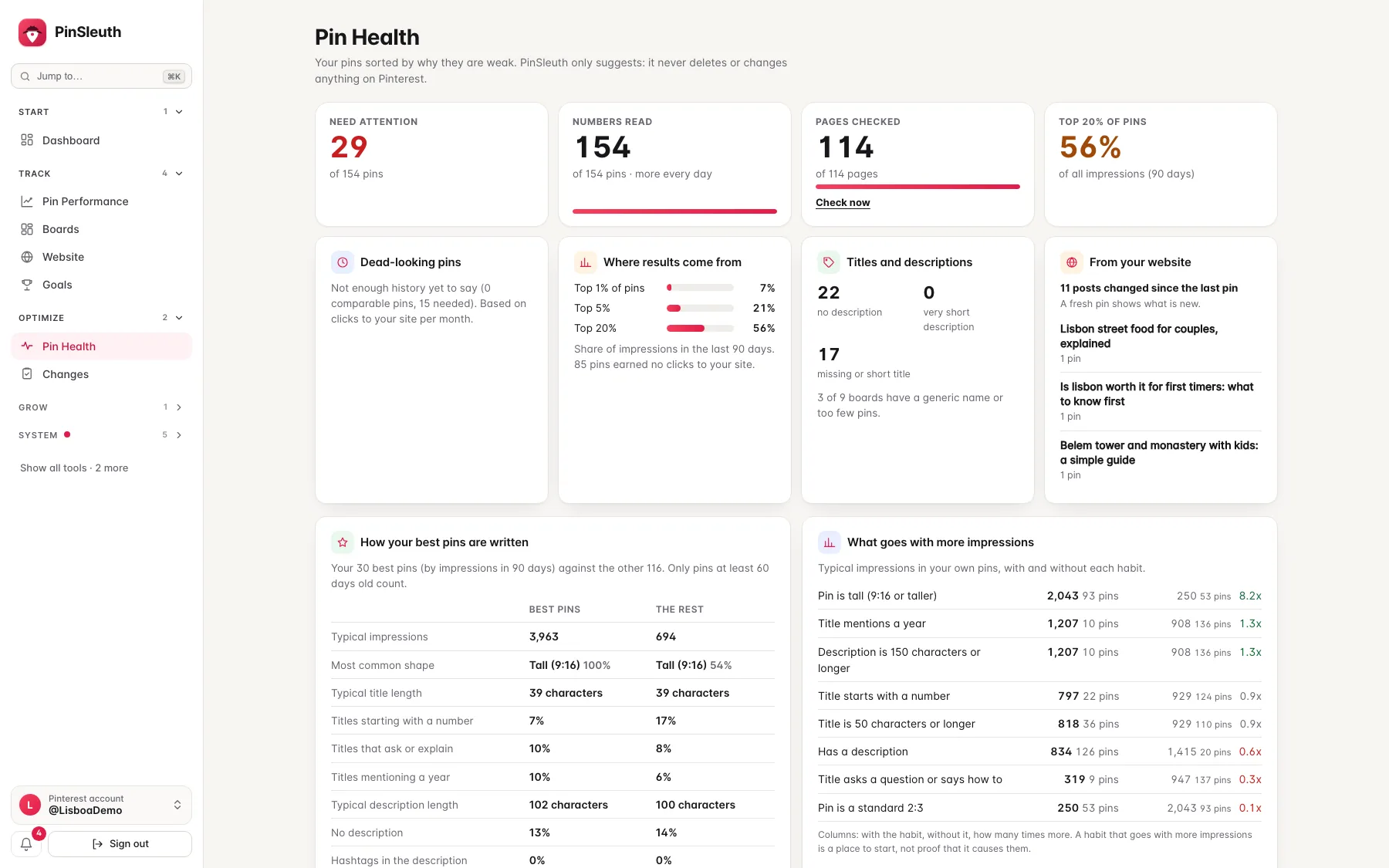
Pin Health sorts your pins by cause: a broken or slow page, a near-duplicate, thin text, a pin that is ready for a refresh, or one that just needs time. It never tells you to delete a weak pin. For a near-duplicate it shows which pin to keep and what to do with the copy.
What you get
What it does
The pages your pins point to
PinSleuth opens each page your pins link to and checks for broken links, load time over four seconds, a robots.txt that keeps Pinterest’s crawler out, and a pin title that does not match the page. Pinterest lists these as causes of declining performance.
A reason for every pin
Near-duplicates, very short titles and descriptions, pins that are too young to judge, and pins that earned clicks in the coming months last year are each marked, with what to try.
Honest about what it knows
It shows how concentrated your results are, and how often pins that looked dead later earned clicks in your own history, so you can judge slowly before you change anything.
Your own best pins as the yardstick
PinSleuth shows how your best pins are written (title length, numbers, descriptions, shape) against the rest, which habits go with more impressions in your own pins, and how each weak pin differs from your best ones.
Three steps
How it works
Connect Pinterest
Pin Health uses your own pins and numbers.
Let it read
PinSleuth reads your pins’ numbers and checks the pages they point to, a few at a time, every day.
Work through the list
Open any pin to see the reason and what to do. Snooze or dismiss what you decide to leave.
Questions
Common questions
Does it tell me to delete weak pins?
No. Pinterest says nothing in its guidance that supports removing weak pins, and no study we found shows that it helps the others. Pin Health suggests fixing, refreshing or waiting. The one exception is a near-duplicate: it shows which pin it copies and which one to keep, and suggests deleting the copy if it adds nothing, or giving it a new image and title. The decision is always yours.
Does it change anything on Pinterest or my site?
No. It only reads: your numbers from Pinterest, and your pages the way a visitor would.
Why are many pins “waiting for data”?
Pinterest limits how fast numbers can be read, so PinSleuth reads a batch of pins every day. The list fills in over the first days.
Keep going
Works well with
Start your 14-day free trial
Pick a plan, add a card, and pay nothing if you cancel within 14 days.