 PinSleuth
Write · Feature
Write the pin from the page it links to
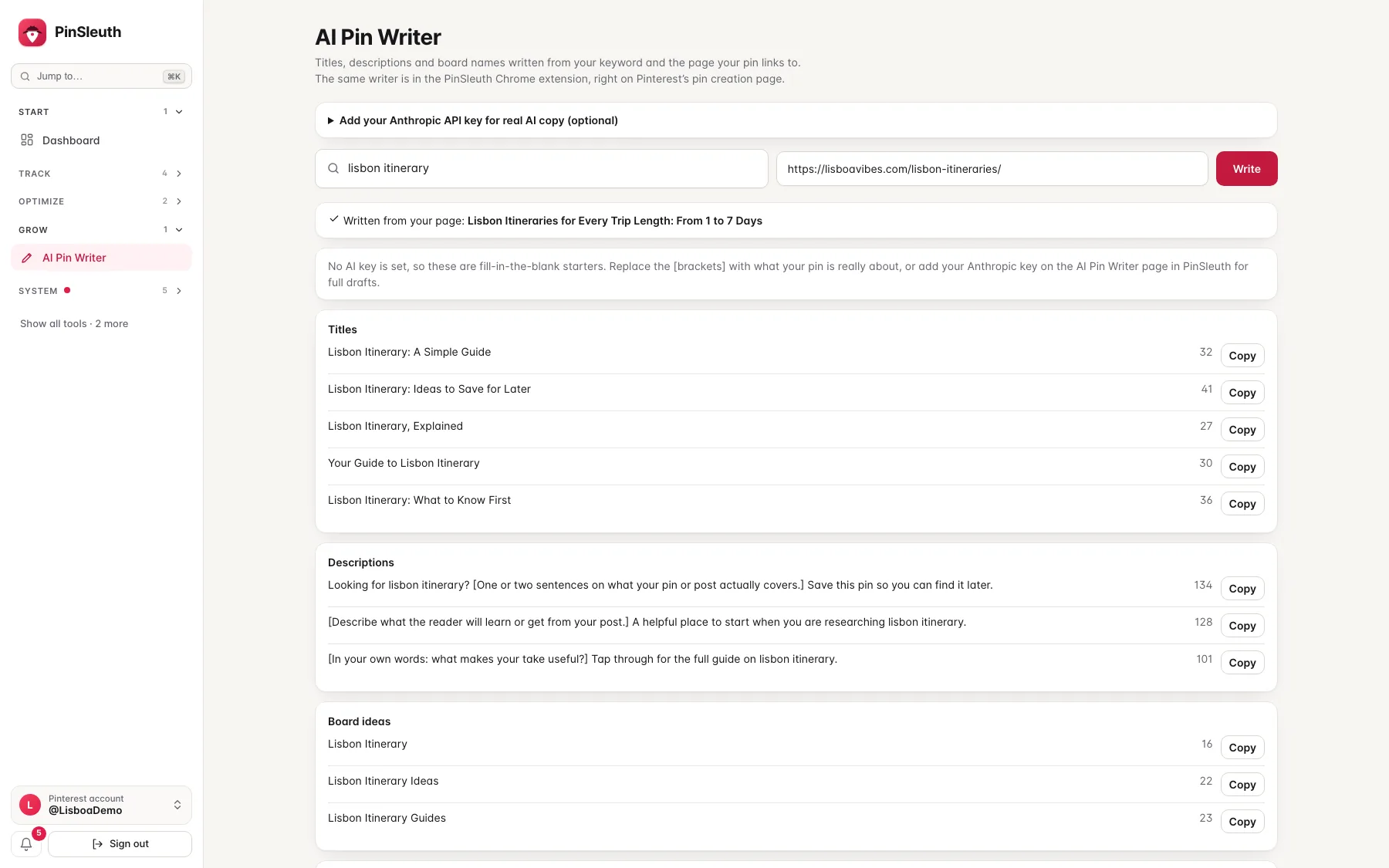
Give the writer a keyword and the link of your page. It reads the page and drafts titles, descriptions, board names and alt text that match what the page really says. The browser extension puts it on Pinterest’s own pin creation page.
What you get
What it does
Written from your page
The writer reads your page’s title, headings and text, so a draft promises what the page delivers.
Natural, not stuffed
It is told to use the keyword once, in plain sentences, and drafts that repeat it or list phrases are rejected and rewritten.
Fills Pinterest’s own fields
In the browser extension, one click puts a title or description into Pinterest’s pin form, ready to edit. It never posts anything.
Three steps
How it works
Add your key
Paste your own Anthropic key on the pin writer page. It is stored encrypted and used only to write your pins.
Enter keyword and link
Type the keyword and the link of your page.
Pick and edit
Choose a draft, change what you like and publish on Pinterest yourself.
Questions
Common questions
Does it need an AI key?
Yes, your own Anthropic key. Without one it shows fill-in-the-blank starters instead of drafts.
Does it post for me?
No. It only fills the form in front of you.
Which browsers does the extension work in?
Chrome, Firefox, and Chromium browsers that install from the Chrome Web Store, such as Edge and Brave.
Keep going
Works well with
Start your 14-day free trial
Pick a plan, add a card, and pay nothing if you cancel within 14 days.